autoShipBar review: the Shopify app for free shipping bar
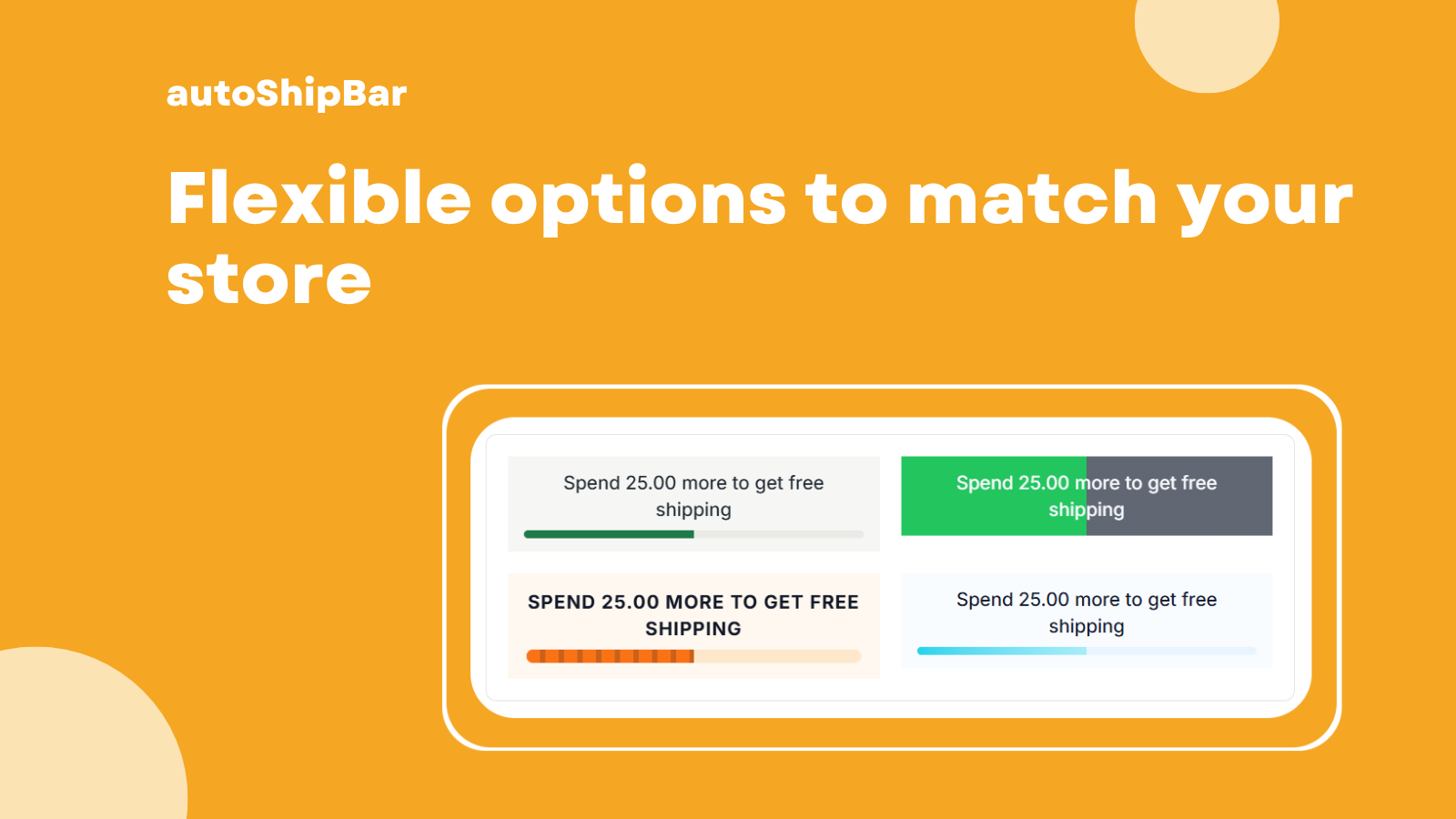
If you’re a Shopify store owner looking to boost your sales, you’re probably aware of the benefits of offering free shipping. But how do you effectively communicate this to your customers? Enter the free shipping bar. This article reviews autoShipBar, a Shopify app designed to add a free shipping progress bar to your cart or storefront. This tool shows customers how close they are to qualifying for free shipping, encouraging them to add more items to their cart.
Whether you’re a small business just starting out or an established store looking to refine your strategy, understanding the ins and outs of a free shipping bar can make a significant difference in your revenue.
- What is a free shipping bar and why it matters.
- Key features of autoShipBar that enhance customer experience.
- Common pitfalls to avoid when implementing a free shipping bar.
- Practical tips for setup and copywriting.
Why free shipping bar works (and where it doesn’t)
Free shipping is like the holy grail of online shopping. Customers love it, and studies show that it can lead to increased cart sizes and higher conversion rates. A free shipping bar taps into this psychology by providing a visual representation of how close customers are to earning that coveted free shipping.
However, it’s not a one-size-fits-all solution. For example, if your shipping threshold is set too high, customers may feel discouraged rather than motivated. Similarly, if the bar is poorly designed or placed, it can become an annoyance rather than a helpful tool.
What to look for in an app for free shipping bar
- User-friendly interface for easy customization.
- Real-time updates as cart totals change.
- Custom messages for different states (empty, progress, success).
- Compatibility with your existing Shopify theme.
A simple setup that matches your cart (drawer vs page)
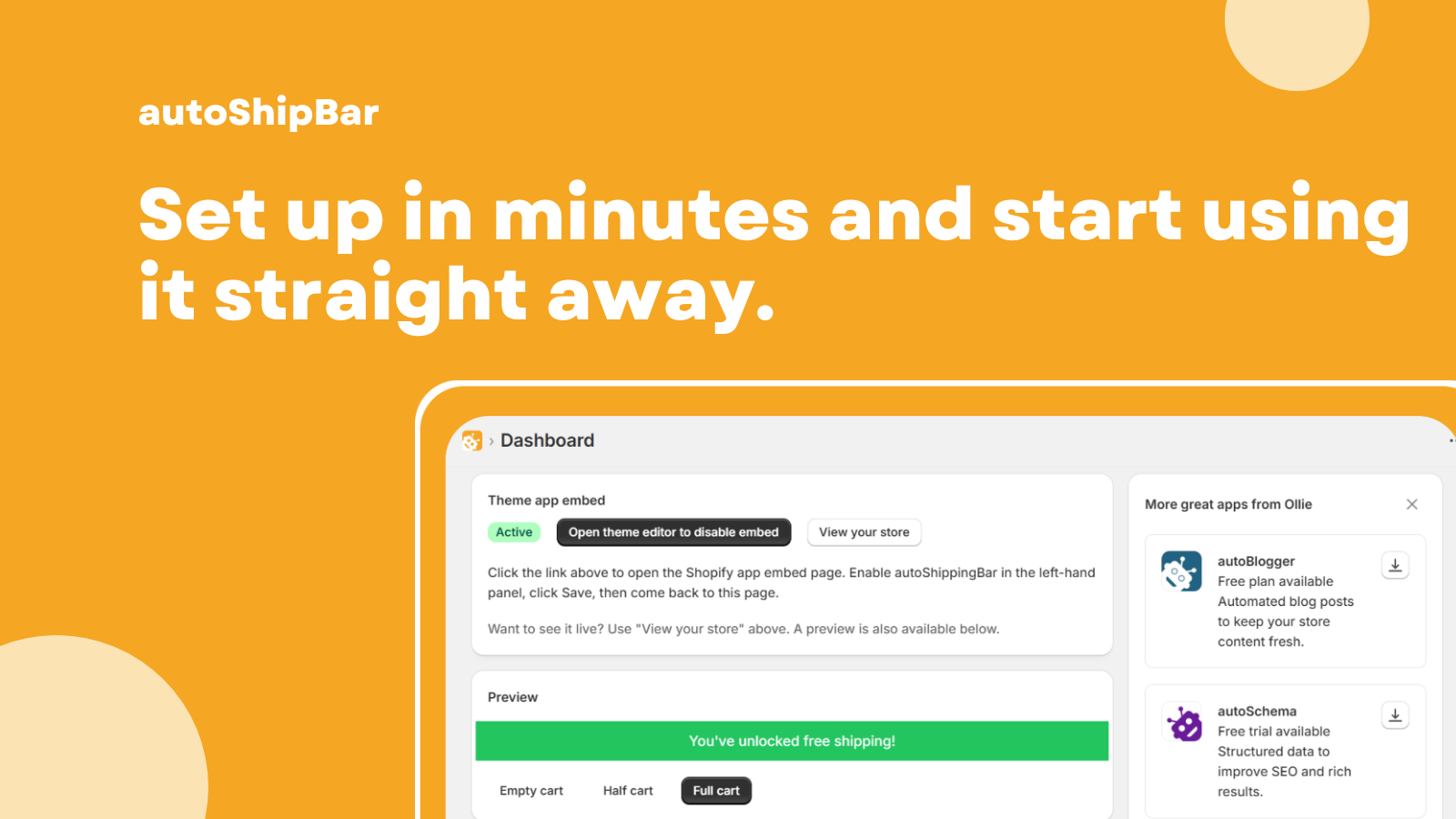
Setting up a free shipping bar should be straightforward. autoShipBar offers a simple installation process that allows you to choose between displaying the bar in your cart drawer or on the main page.
Consider your store’s layout: if your customers are likely to use a cart drawer, make sure the bar is visible there. If you have a more traditional layout, a page-based bar might be more effective. Test both options to see which one resonates better with your audience.
Copywriting tips for the bar (empty, progress, success states)
Your messaging can make or break the effectiveness of your free shipping bar. Here are some tips for crafting compelling copy:
- Empty State: Use a friendly tone. For example, “Add items to your cart to unlock free shipping!”
- Progress State: Create urgency. Try something like, “You’re just $20 away from free shipping!”
- Success State: Celebrate the achievement. A simple “Congratulations, you qualify for free shipping!” can go a long way.
Common mistakes (annoying placement, wrong thresholds, mobile clutter)
Even the best tools can fall flat if not used correctly. Here are some common mistakes to avoid when implementing your free shipping bar:
- Annoying Placement: Ensure the bar is visible but not intrusive. It shouldn’t cover important information.
- Wrong Thresholds: Setting your free shipping threshold too high can deter customers. Find a balance that works for your average order value.
- Mobile Clutter: Make sure the bar is optimized for mobile. It should not clutter the screen or distract from the shopping experience.
Setup checklist
- Install autoShipBar and link it to your Shopify store.
- Choose the placement of your free shipping bar (drawer or page).
- Set your free shipping threshold based on your average cart value.
- Craft compelling copy for empty, progress, and success states.
- Test on both desktop and mobile to ensure visibility and functionality.
- Gather feedback from customers after launch to make adjustments.
FAQ
What is autoShipBar?
autoShipBar is a Shopify app that adds a free shipping progress bar to your cart or storefront, helping customers see how close they are to qualifying for free shipping.
How much does autoShipBar cost?
autoShipBar is completely free, making it an attractive option for store owners looking to enhance their customer experience without additional costs.
Can I customize the messages in the free shipping bar?
Yes, autoShipBar allows you to customize messages for empty, progress, and success states, so you can tailor the experience to your brand voice.
Will the free shipping bar work on mobile devices?
Yes, autoShipBar is designed to be mobile-friendly, ensuring that the bar looks good and functions well on all devices.
How do I know if my free shipping bar is effective?
Monitor your store’s analytics to see if there is an increase in average cart value and conversion rates after implementing the free shipping bar.
Can I integrate autoShipBar with other Shopify apps?
While autoShipBar is designed to work seamlessly with Shopify, compatibility with other apps may vary. It’s best to check specific integration details.
In conclusion, a free shipping bar can be a powerful tool to encourage larger carts and enhance customer satisfaction. With the right setup and messaging, autoShipBar can help you achieve your sales goals while keeping your customers happy. So why not give it a try and see how it works for your store? The journey to free shipping bliss starts here!
Want to try it? Take a look at autoShipBar on the Shopify App Store.
Labels: ohermans1
posted by Jao @ March 08, 2026
0 Comments


0 Comments:
Post a Comment
Subscribe to Post Comments [Atom]
<< Home