autoSchema review: the Shopify app for JSON-LD structured data
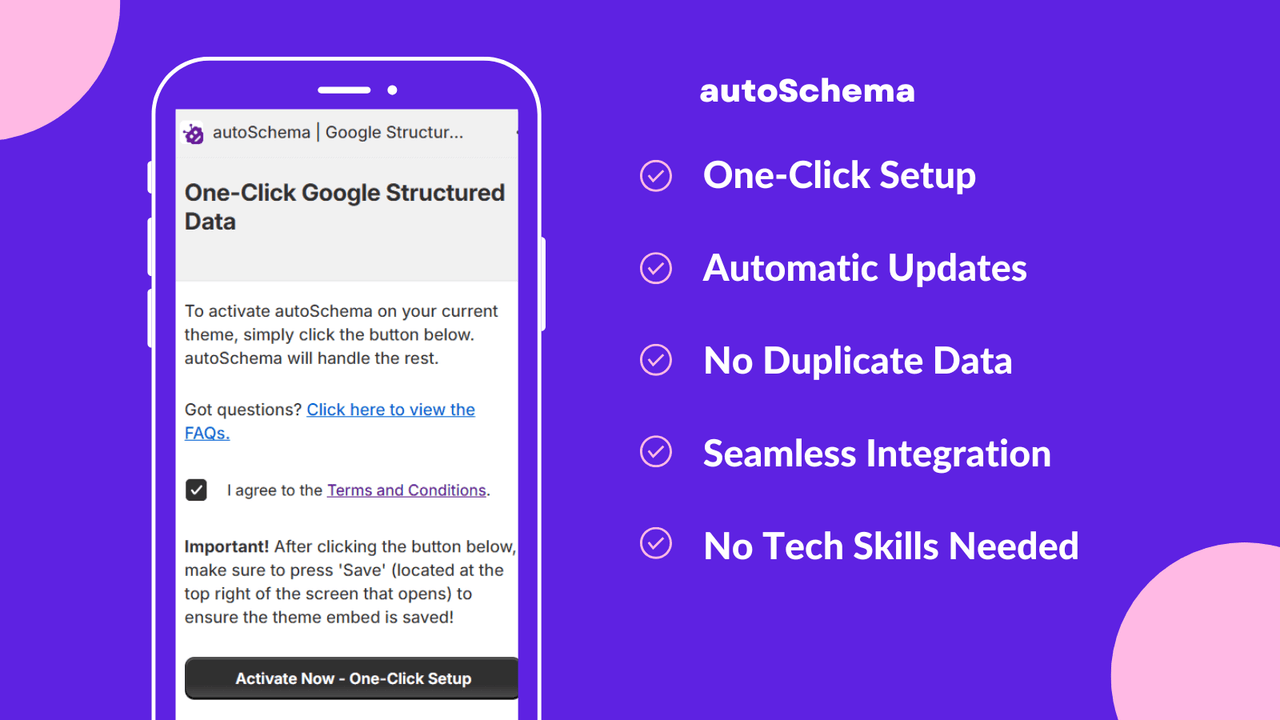
If you are a Shopify store owner looking to enhance your website’s visibility on search engines, you might have come across the term JSON-LD structured data. This article serves as a review of autoSchema, a Shopify app designed to help you automatically manage and maintain your JSON-LD structured data. In this review, we will explore what JSON-LD structured data is, why it matters, and how autoSchema can simplify the process for you.
- Understand the basics of JSON-LD structured data.
- Learn how autoSchema can help maintain your structured data.
- Discover common pitfalls and how to avoid them.
What JSON-LD structured data actually is (in plain English)
JSON-LD, or JavaScript Object Notation for Linked Data, is a method of encoding linked data using JSON. In simpler terms, it is a way to help search engines understand the content of your website better. By adding structured data to your site, you provide search engines with specific information about your products, services, and other relevant details.
This structured data can lead to enhanced search results, such as rich snippets, which can make your listings more attractive to potential customers. Think of it as giving search engines a cheat sheet about your website.
Why Shopify stores get JSON-LD structured data wrong
Many Shopify store owners struggle with implementing JSON-LD structured data correctly. This often happens for several reasons:
- Limited technical skills: Many store owners do not have a background in coding, making it challenging to add structured data manually.
- Frequent updates: As products and services change, keeping structured data updated can become a daunting task.
- Conflicts with themes: Some Shopify themes may not support structured data properly, leading to errors or missing information.
These issues can lead to problems like duplicate schema or missing fields, which can harm your SEO efforts. Fortunately, autoSchema aims to remedy this situation.
What to look for in an app for JSON-LD structured data
- One-click setup: The app should allow for easy activation of Google structured data.
- Automatic updates: Look for an app that keeps your structured data current as your store changes.
- Error prevention: Choose an app that prevents duplicate or invalid schema that could negatively impact SEO.
- Seamless integration: The app should work well with your existing themes and store setup.
- User-friendly: It should be accessible for both beginners and advanced users without requiring technical skills.
Common pitfalls (duplicate schema, missing fields, theme conflicts)
While implementing JSON-LD structured data, there are several common pitfalls to be aware of:
- Duplicate schema: This occurs when the same structured data is included multiple times on a page, leading to confusion for search engines.
- Missing fields: Not including all necessary fields can prevent your structured data from being eligible for rich results.
- Theme conflicts: Some themes may not support structured data correctly, resulting in errors that could harm your SEO.
By using an app like autoSchema, you can reduce the likelihood of encountering these issues, allowing you to focus on growing your business.
How to validate results (Search Console, rich results testing)
After implementing JSON-LD structured data, it is essential to validate that it is working correctly. Here are some steps to do so:
- Use Google Search Console: Check for any warnings or errors related to structured data.
- Rich Results Test: This tool allows you to test individual URLs and see if your structured data qualifies for rich results.
- Regular monitoring: Continuously check your structured data to ensure it remains accurate and up to date.
These steps will help you maintain a healthy structured data profile and maximize your visibility in search results.
A simple ongoing maintenance approach
Maintaining your JSON-LD structured data does not have to be complicated. Here are some tips for an effective ongoing maintenance approach:
- Schedule regular audits: Set aside time each month to review your structured data.
- Stay informed: Keep up with updates to Google’s structured data guidelines to ensure compliance.
- Utilize autoSchema: Relying on an app like autoSchema can significantly reduce the manual effort required for maintenance.
By following these tips, you can keep your structured data in check and avoid potential issues down the line.
Setup checklist
- Install the autoSchema app from the Shopify App Store.
- Follow the one-click setup instructions to activate structured data.
- Check for existing structured data to prevent duplicates.
- Monitor your Search Console for any errors or warnings.
- Regularly review your structured data to ensure it is up to date.
FAQ
What is JSON-LD structured data?
JSON-LD structured data is a method of encoding linked data using JSON, helping search engines understand the content of your website better.
How does autoSchema work?
autoSchema automatically adds and maintains Google structured data for your Shopify store, ensuring it remains accurate and optimized.
Do I need technical skills to use autoSchema?
No, autoSchema is designed for both beginners and advanced users, requiring no technical skills to set up and use.
What problems can arise from incorrect structured data?
Incorrect structured data can lead to issues such as duplicate schema, missing fields, and conflicts with themes, all of which can harm your SEO.
How can I validate my structured data?
You can validate your structured data using Google Search Console and the Rich Results Test tool.
Is autoSchema suitable for all Shopify stores?
Yes, autoSchema is designed to work seamlessly with various Shopify themes and setups.
How often should I check my structured data?
It is advisable to review your structured data regularly, ideally once a month, to ensure it remains accurate and up to date.
In conclusion, if you are looking for a way to manage your JSON-LD structured data effectively, autoSchema could be the solution you need. With its easy setup and automatic updates, it takes the stress out of maintaining your structured data while helping you enhance your search visibility.
Want to try it? Take a look at autoSchema on the Shopify App Store.

Labels: ohermans1
posted by Jao @ August 05, 2026
0 Comments


0 Comments:
Post a Comment
Subscribe to Post Comments [Atom]
<< Home