Wednesday, June 18, 2025

ChatGPT AI Writer: 6 Ways To Update & Repackage Old Content
chatGPT for updating content on your blog

Generative AI is no longer a new, trending toy everyone is excited about. It’s part of our lives. We all use one or more AI platforms (like ChatGPT, Perplexity, or Claudia) for problem-solving and productivity.

Google has been actively integrating AI into its search interfaces through features such as AI Overviews and AI Mode. AI is everywhere.

If you are not looking for ways to utilize AI technology in your blogging routine, you are losing lots of new opportunities to promote your blog with ChatGPT prompts.

While I am all for using AI for blogging productivity, I am not a fan of using it for actually writing content for my blog (or my clients’ blogs). My perspective on that is pretty straightforward: Using AI to generate content adds nothing new to the web.

It is simply repurposing someone else’s content, and Google understands this, too.

Technology For Blogging

Note that I am talking about creative or expert-driven blogging here. I do believe there’s a place for AI-generated copy for ecommerce inventory descriptions, social media captions, or large database-driven sites.

But blogging is all about expressing your unique expertise or creativity (or that of your team). And you cannot be unique by generating AI content.

However, there’s a massive potential in using AI to improve your current blog content, especially when it comes to old content that has started losing its organic search visibility and isn’t shared as much because it went deep down the blog’s archive.

Here’s how you can utilize generative AI to update and repurpose your old content:

1. Ask ChatGPT or Gemini AI How Your Old Article Can Be Improved

ChatGPT AI is great for text analysis. Moreover, it uses AI technology, which is most likely a driving force behind Google’s algorithm itself.

Using it to analyze and improve your content (especially if it’s an article losing rankings) is a good way to learn to think like Google, i.e., look at your content as Google is looking at it.

So, any time you see one of your articles losing rankings, copy-paste the content and ask ChatGPT:

How can I make this article and more helpful for someone searching for [KEYWORD]

(Add your target keyword here for more SEO-driven analysis. You can also use my own custom SEO GPT for this task.)

For my article, ChatGPT suggested adding a checklist and examples. And it even created the checklist for me:

This is where I can follow up with follow-up prompts from an AI writer:

  • How would you improve the introduction and the conclusion?
  • Break this article into sections based on the segmentation you suggested
  • Generate pros and cons for each platform
  • Create an FAQ section based on my content

Here’s a pretty unbelievably great comparison section the tool generated using its AI magic:

You can (edit and) add every section as AI ChatGPT writing as it generates it without changing your content. ChatGPT will be repurposing your content, not someone else’s, so it will still rely on your research, experience, and/or expertise.

Not only does it make your content more helpful for people, but it is also a great AI Optimization method, allowing you to create sections of content that are easy for AI retrieval.

For creating optimized FAQ sections, make sure to use some question research tools. This will help you optimize your updated content for terms you previously missed:

2. Collect Expert Quotes and Ask ChatGPT To Create Content Around Those

If your old article relied on trends and stats, that is something that may be pretty outdated. While I still do my research online (ChatGPT and other generative AI tools have pretty outdated knowledge bases), one trick to update old content with new insights is to ask for niche experts’ input.

This is also a great influencer relationship-building tactic, as well as a promotion trick (those participating influencers will likely share your updated content featuring them).

Once you collect those quotes, copy-paste them into ChatGPT (together with the influencers’ names and Twitter handles) and ask it to write a few sentences introducing each insight:

This is the quote from NAME @twitterhandle that I am going to add to my article. Please create an engaging intro to lead into the quote. The intro should be a value-add to my article: “TEXT”

This is the content you can instantly copy-paste to make your article more up-to-date.

You can also generate tweetable quotes using ChatGPT to encourage your readers to share and tag each insight on Twitter. My prompt was:

Turn this article into tweetable quotes, tagging the mentioned CRM solution with the official Twitter/X profile.

Here’s the incredible result (I would have been writing these for hours, searching for those X profiles, using hashtags and emojis):

3. Prompt the ChatGPT AI to Turn Your Old Article Into a Video/Podcast Script

Creating a video to embed into your old article is a great value add, and it is much more doable these days, as you don’t have any fancy software. Depending on the content of your article, this could be a screencast, a quick animation, or even a photo slideshow (for travel blogs, for example).

All you need is a video script to create a voiceover, and that’s where ChatGPT can be a great help. Simply use the following prompt:

This is my article “TEXT”. Create a script I can use as a voiceover for my video based on this content.

4. Add Takeaways and Table Summaries to Your Content

Summarizing content has one great SEO benefit: It gives Google more on-page content to generate concise search snippets. It can help you get featured more. You can ask ChatGPT to summarize your content in several ways:

  • Create a conclusion
  • Generate takeaways
  • Create a summary or comparison table

Quick tip: To summarize content, try Claude.ai, which creates better summaries, in my experience.

Once you update your old content with your research and the help of ChatGPT, you may want to give it new life by syndicating it on a few platforms for more exposure. I like using these:

While SEO is a great traffic source, maintaining an active presence on long-form publishing platforms is a great way to create more traffic sources which is always a good idea. On Medium, you can add a canonical tag pointing to your URL to point Google to the original source of content (and direct all signals there).

On LinkedIn, there’s no such option, so to avoid any cross-site duplicate content issues, use ChatGPT AI to write the content.

Use the following prompt:

Here’s my article “TEXT”. Generate unique content using its data and key points I can use on LinkedIn. Create a CTA to point to my original article. Word it the way people want to click the link to read the original.

6. Generate Social Media Posts with AI Writer to Promote Content on Social Media

Finally, with ChatGPT you don’t need to write social media posts from scratch. Use ChatGPT artificial intelligence to:

ChatGPT will automatically create hashtags and include emojis, so you don’t have to spend time writing those

Cross-channel marketing is important for capturing more brand awareness opportunities and leaving a well-defined digital footprint. ChatGPT can make this task much more productive!

AI ChatGPT Writing Tools: Takeaways

See what I did?

As generative AI develops further, there will be more and more ways to utilize it for your content strategy. Keep an eye on the new technology and instead of feeling threatened by it, find ways to embrace it.

Have you used ChatGPT for any of these reasons? I’d love to hear about your experiences with it in the comments below.

Originally published at https://inspiretothrive.com on June 18, 2025.


Labels:

Tuesday, June 17, 2025

Unlocking E-commerce Success: How Shopify SEO Apps Boost Your Stores Visibility and Conversions

text
Photo by Woliul Hasan on Unsplash

The Impact of Shopify SEO Apps on E-commerce Conversion Rates

In the vast ocean of e-commerce, where thousands of online stores compete for attention, standing out can feel like trying to find a needle in a haystack. You’re probably wondering, “How can I ensure that my store isn’t just another forgotten website in the abyss of the internet?” Well, the answer lies in a little thing called SEO — or Search Engine Optimization, for those who haven’t spent countless hours researching how to make Google love them.

Why SEO Matters in E-commerce

Let’s face it: if your store isn’t showing up on the first page of search engine results, it’s basically invisible. Imagine throwing a party and no one shows up — awkward, right? SEO is like that friend who knows everyone in town and makes sure they all come to your party (or in this case, visit your store).

When you optimize your e-commerce site for search engines, you’re not just playing the algorithm game; you’re also improving the user experience. After all, if people can’t find your product pages easily, they won’t be buying anything from you — unless they’re really good at playing hide-and-seek. But let’s be honest, most customers prefer a straightforward shopping experience.

Enter Shopify SEO Apps

Now, if you’re on Shopify, you’re in luck! There’s a plethora of SEO apps designed specifically to help e-commerce stores maximize their visibility. These apps can be a game-changer, acting like a megaphone that shouts your store’s name from the digital rooftops.

  • Keyword Optimization: Shopify SEO apps help you identify the right keywords that potential customers are searching for. Think of it as finding the secret sauce for your marketing recipe!
  • Meta Tags and Descriptions: These apps assist in crafting compelling meta titles and descriptions, making sure that your products not only appear in search results but also entice clicks. They’re like the charming salesperson we all wish we had!
  • Image Optimization: Did you know that images can slow down your site? SEO apps optimize images for faster loading times, which is crucial since no one enjoys waiting for a page to load longer than it takes to brew a cup of coffee.
  • Link Building: Some apps even help you build backlinks, which can significantly improve your site’s authority. Think of it as getting endorsements from cool kids in school — everyone wants to hang out with the popular crowd!

How SEO Apps Boost Conversion Rates

Now, let’s talk turkey: how do these nifty little apps actually affect your conversion rates? Well, several factors come into play:

1. Increased Visibility

The most obvious benefit is that better SEO translates to higher visibility. When your products appear on the first page of search results, you’re getting more eyeballs on your offerings. More traffic often leads to more sales — like a snowball effect, but with money instead of snow (unless you’re selling snowboards, in which case, good luck!).

2. Enhanced User Experience

As mentioned earlier, SEO apps help create a better user experience. When customers find what they’re looking for quickly and easily, they are more likely to make a purchase. And who doesn’t love a seamless shopping experience? It’s like finding a parking spot right in front of the store — pure bliss!

3. Higher Click-Through Rates (CTR)

With optimized meta descriptions and titles, your store is more likely to attract clicks. A higher CTR means more potential customers, which can ultimately lead to increased conversions. It’s like having a great cover for your book — people are more likely to pick it up and check it out.

4. Building Trust and Credibility

When your website ranks well and loads quickly, it builds trust with your audience. Customers are more likely to purchase from a site that appears professional and reliable. Think of it this way: if you saw a well-decorated storefront versus a shabby one, where would you choose to shop? Exactly!

Real-Life Examples

Let’s take a moment to look at a couple of success stories. There are countless merchants who have leveraged Shopify SEO apps to turn their businesses around.

One merchant, let’s call him Dave, was struggling to sell his handmade candles. After integrating an SEO app, he optimized his product descriptions and started ranking for key phrases like “organic soy candles” and “eco-friendly gifts.” Within a few months, his traffic doubled, and so did his sales. Who knew that candles could burn so brightly in the e-commerce world?

Another seller, Sarah, had an online boutique that was barely making a blip on the radar. After using an SEO app, she discovered that her audience was searching for “affordable boho dresses.” With a few tweaks, she revamped her content and began to climb the search rankings. Now, she’s able to turn her inventory faster than you can say “I need a new wardrobe!”

Choosing the Right SEO App

Now that you’re convinced that SEO apps can work wonders for your e-commerce store, how do you choose the right one? Here are a few tips:

  • Read Reviews: Check the app’s reviews and ratings. If it has more stars than a Hollywood blockbuster, you might be onto something!
  • Trial Periods: Many apps offer a free trial. Take advantage of it to see if it fits your needs before making any commitments.
  • Features: Look for apps that offer comprehensive features, such as keyword tracking, image optimization, and analytics.

Don’t Forget Content Marketing

While SEO apps are fantastic tools, they shouldn’t be your only strategy. Content marketing plays a crucial role in SEO and can further enhance your conversion rates. Regularly updating your blog, sharing valuable content, and engaging with your audience can do wonders for your online presence.

For those looking to streamline their content marketing efforts, consider using an app like autoBlogger. It automates blog posts and helps keep your content fresh, which can positively influence your search rankings. Plus, who doesn’t love a little extra time on their hands?

Conclusion

In short, Shopify SEO apps can significantly impact your e-commerce conversion rates by enhancing visibility, improving user experience, and building trust with your audience. As you dive into the world of SEO, remember that patience is key. It might take some time to see results, but with the right tools and strategies, you’ll be well on your way to e-commerce success. Now go forth and conquer the world of online sales — your future customers are waiting!

Note, this article was written with AI assistance to improve readability and give you, the reader, a better experience! :)


Labels:

Sunday, June 15, 2025

How Established Shopify Stores Can Boost Their Game with autoBlogger

autoBlogger

Ah, the wonderful world of eCommerce! If you’re an established Shopify store owner, you know the hustle of keeping your store fresh and engaging. You’ve got products to sell, customers to please, and a million things to juggle. But what if I told you that you can kick back, relax, and let autoBlogger do a hefty portion of the writing for you? Sounds too good to be true? Well, hold onto your Shopify hats because it’s about to get interesting!

The Struggle is Real

We all know the importance of content marketing — yet creating fresh, relevant blog posts on a consistent basis can feel like a never-ending marathon. You might have a brilliant idea one day, but the next day? Not so much. And let’s be honest, who has the time to write 7 blog posts a week? 🚀

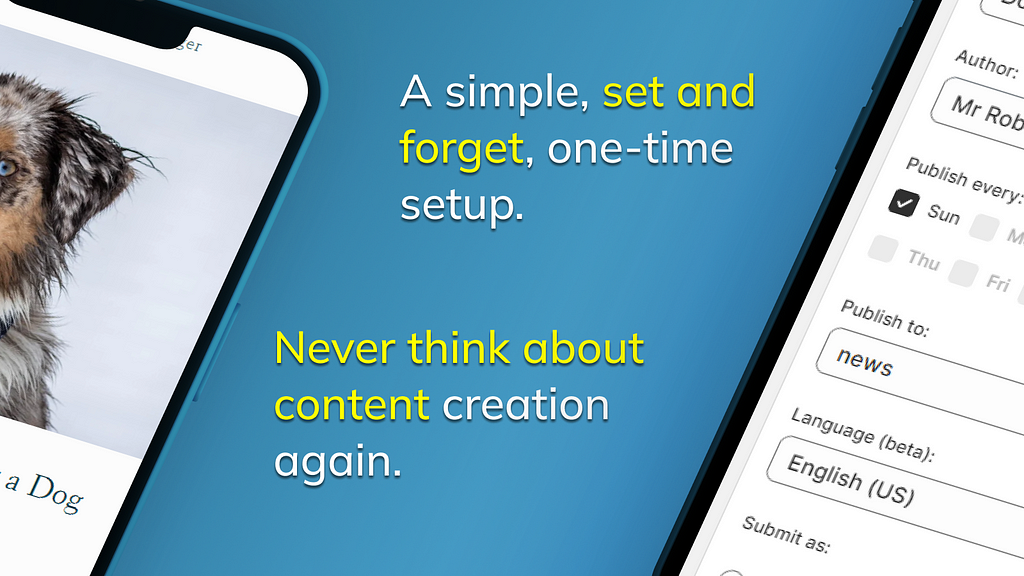
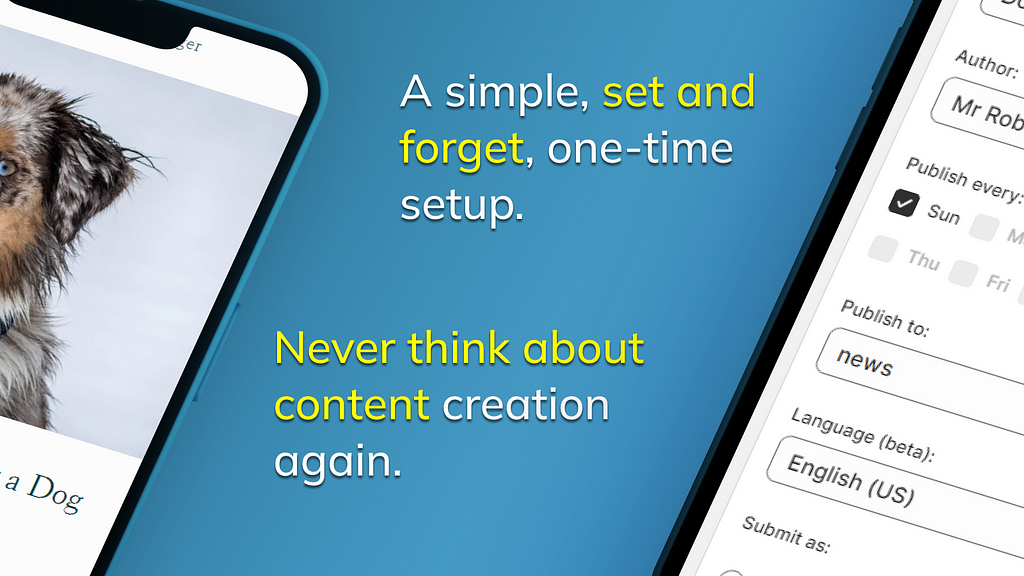
That’s where autoBlogger swoops in like a superhero in a cape. With its “set and forget” style, you can automate the process while still keeping your audience engaged. It’s like having a writing assistant, but one that doesn’t ask for coffee breaks!

Let’s Break It Down: What is autoBlogger?

So, you might be asking, “What exactly is this magical app?” Well, let me break it down for you:

  • AI-Powered Content Creation: Choose a topic, and autoBlogger generates a plethora of related blog titles. It’s like a brainstorming session, but without the awkward silences.
  • Customization Galore: Sort, delete, or even add your own titles to fit your brand voice. Let’s face it; no one knows your store better than you do.
  • Automatic Posting: Publish new articles automatically, up to 7 times a week! Yes, you read that right. Your blog can be as active as a caffeinated squirrel!
  • SEO Optimization: Add your keywords, and autoBlogger does the heavy lifting by incorporating them throughout the articles. Easy peasy!
  • Backlink Program: Opt into the backlink program, and voilà! Your backlinks will be shared across blogs. It’s like a community of Shopify friends helping each other out.
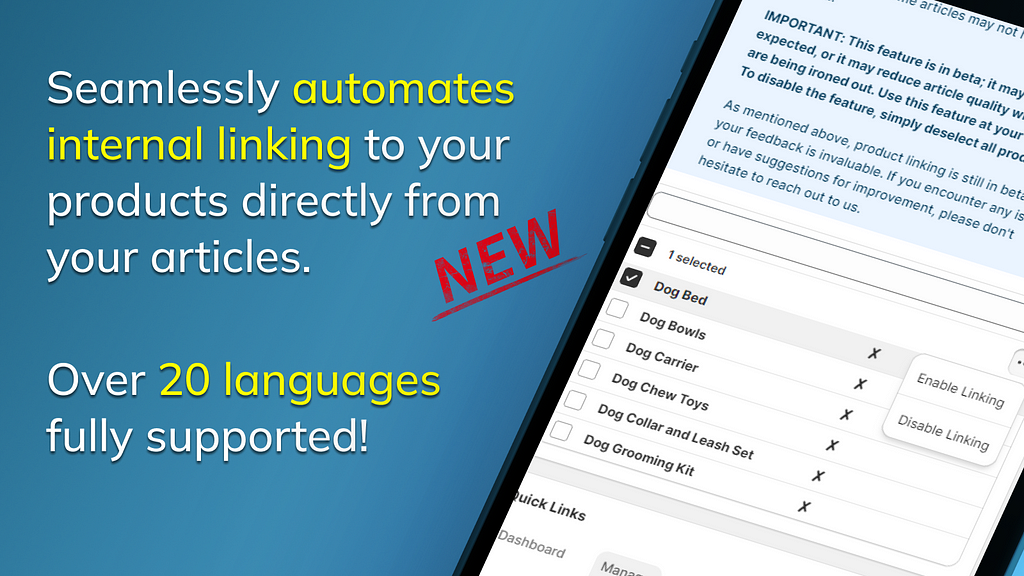
  • Available in 20 Languages: You can reach customers around the globe. Hola! Bonjour! こんにちは!

Why Established Stores Should Use autoBlogger

Now, let’s dive into why you should make this app a part of your Shopify toolkit. After all, you’re already established, so why not make things even easier?

1. Save Time and Energy

Ever find yourself staring at a blank screen, wondering what on earth to write? With autoBlogger, that problem is history! Spend less time writing and more time focusing on what you do best — running your business. Whether it’s managing inventory or creating customer experiences, you’ve got more important fish to fry.

2. Boost Your SEO

We all know that SEO is crucial for visibility. With autoBlogger’s keyword optimization feature, you can ensure that your blog posts are not just filler. They’ll gain traction, attract traffic, and help you rank higher on Google. Who doesn’t want to be at the top of the search results?

3. Engage Your Customers

Engaging content is key to keeping your customers interested. Regular blog posts keep your audience informed about your products, industry trends, and even behind-the-scenes fun. With autoBlogger, you can share useful advice, product tips, or even the occasional meme (because who doesn’t love a good meme?).

4. Stay Relevant

The eCommerce world is ever-changing, and staying relevant is essential. With autoBlogger, you can keep your blog fresh without breaking a sweat. Just set your topics, and watch the content pour out like a fountain of knowledge (and maybe some random cat memes). 🐱

5. Increase Your Client Base

With more content comes more opportunities to attract potential customers. High-quality articles can serve as a magnet for traffic, and who knows? A visitor might just turn into a customer after reading about your latest product!

Real-Life Success Stories

Don’t just take my word for it; let’s hear it from some satisfied autoBlogger users:

“I can’t believe I was once skeptical about automating my blog posts. With autoBlogger, I’ve saved hours each week, and my traffic has doubled!” — Jane Doe, Owner of Trendy Apparel
“The SEO features are a game-changer! My articles are more visible than ever, and I’m getting inquiries from customers all over the world.” — John Smith, Founder of Gadget Heaven

Getting Started with autoBlogger

Ready to take the plunge? Here’s how you can get started with autoBlogger:

  1. Visit the autoBlogger app page on Shopify.
  2. Click ‘Add App’ and follow the instructions to install it.
  3. Choose your topics and customize your settings.
  4. Let the magic happen! Sit back and watch as your blog transforms.

Final Thoughts

As an established Shopify store owner, you have enough on your plate without the added stress of maintaining a blog. With autoBlogger, you can enhance your SEO, engage your customers, and save time — all while producing quality content. Plus, you get a 14-day free trial to see if it’s the right fit for you!

So, why not give it a whirl? Your future self (and your customers) will thank you. Cheers to creating a blog that’s as vibrant as your Shopify store!

For more information, check out autoBlogger and see how it can revolutionize your content creation strategy!

What are you waiting for, try autoBlogger now!

autoBlogger


Labels:

Wednesday, June 11, 2025

20 Must-Have AI Content Creation Tools for Modern Creators

AI content creation tools
AI content creation tools you need in 2025 and beyond.

Content creation is multiplying by the day. Brands, influencers, and writers are all racing to attract attention online. The secret?

Clever use of modern content creation tools made with AI. The right toolkit can multiply your productivity, lift your content quality, and extend your reach across platforms.

For the past several weeks, I’ve been exploring new AI tools and utilizing older tools, such as Canva, with enhanced AI capabilities for my business and blog, Inspire To Thrive.

Today’s Tools For Modern Creators

From blogging powerhouses to visual AI helpers and social scheduling giants, today’s tools put the power to create and share compelling stories right at your fingertips.

Let’s break down the essential content creation tools every creator should know, including the best platforms for writing, top SEO helpers, AI-driven assistants, and social distribution champions.

Whether blogging, making videos, or sharing graphics, these tools work together to make your process smoother, quicker, and your content stand out!

Blogging & Website AI Content Creation Tools Every Content Creator Needs

To create a strong online presence, you need a reliable home base.

Blog platforms, website builders, and SEO plugins form the skeleton of every creator’s toolkit.

WordPress: The Ultimate Content Management System

WordPress stands as the backbone for millions of websites. Its user-friendly dashboard, constant updates, and massive plugin library cater to every creator, from hobbyists to pros.

  • Flexibility: Build anything from simple blogs to full e-commerce stores.
  • Plugins: Thousands of free and paid plugins extend features — think SEO, design, security, and analytics.
  • Community Support: Endless tutorials and forums answer every question, big or small.

WordPress thrives because it adapts. Start simple, then grow into advanced site designs as your audience grows.

The Right Blogger and Gamma App: Enhancing Blogging Workflow

Blogging goes beyond writing. Research, drafts, editing, and publishing all demand time and focus. Here’s how modern apps help:

  • The Right Blogger curates trending topics, speeds up research, and finds keywords. It allows bloggers to focus on ideas, not busywork. I’ve been using their suite of tools for almost two years, and their customer service is the best!
  • Gamma App streamlines content planning, collaboration, and publishing. Think of it as your digital assistant, handling notes, outlines, and editorial calendars.
  • Gamma can take a URL and make wonderful carousel posts for you on LinkedIn, and then you can resize them in Canva for other platforms.

Both tools eliminate wasted steps, allowing you to write and publish faster, making them ideal for creators juggling multiple projects.

Yoast vs. Rank Math: Optimizing Content for Search Engines

Great content doesn’t matter if no one finds it. SEO plugins guide your posts toward Google’s top spots. The two big players — Yoast and Rank Math — offer:

Yoast SEO

  • Simplicity and familiarity for beginners
  • On-page SEO checks (readability, keyword focus, internal links)
  • Clear traffic light system risks making SEO feel robotic

Rank Math

  • Advanced settings for pros, but still manageable for beginners
  • More features in the free plan (rich snippets, 404 monitoring, image SEO)
  • Tighter integration with Google services

Both plugins offer what matters: better rankings, higher traffic, and smarter, easier SEO for every post.

AI & Automation Tools Transforming Content Creation

AI moves content creation from grind to magic. From stunning graphics to quick video edits, modern AI tools do the hard work while you focus on ideas and strategy.

Fliki AI, Snapcut AI, and Creator Buddy: Elevating Visuals and Efficiency

Visuals catch the eyes and keep readers engaged. Here’s how today’s AI supercharges that process:

  • Fliki AI transforms written scripts into video and voiceover content, ideal for creators seeking polished videos in minutes.
  • Snapcut AI automatically edits and enhances videos, suggesting cuts, adding subtitles, and enhancing production value.
  • Creator Buddy helps with idea generation, scripts, and even auto-generates content outlines.
  • Instagram Caption Generator: I loved the Right Bloggers version, which I was able to create via their tools, on my site, Inspire To Thrive. Try it out for FREE when you sign up for Inspire To Thrive’s weekly newsletter. (You can then use it as much as you want!)

Use these tools for faster production, professional results, and more creative time spent on what matters — your message.

TubeBuddy and Pin Generator: Platform-Specific Growth Tools

Creating for YouTube or Pinterest? These tools help squeeze every ounce of potential out of your content.

  • TubeBuddy analyzes videos, suggests keywords, and tracks competition. Its automation features fine-tune your publishing schedule and tags, giving creators a real edge on YouTube.
  • Pin Generator takes your blog content and transforms it into ready-to-pin Pinterest graphics. Instantly resize images, add overlays, and save hours on design. This tool saved me a significant amount of time, allowing me to have my freelancer create infographics instead of pins.

With these tools handling the details, creators can focus on sharing stories or building their business, rather than worrying about algorithms.

Link Building, Social Media, and Distribution Tools for 2024

Publishing is only half the job — getting your content noticed is where standout tools shine.

Distribution and promotion made simple by automation and clever linking.

Link Whisper: Internal Linking for SEO Success

Internal links bind your content together and help Google understand your site. Link Whisper automates this process:

  • Innovative link suggestions as you write
  • Easy-to-use dashboard to manage and fix broken links
  • Keyword suggestions for contextual linking

In minutes, you can strengthen your site’s SEO structure and help readers discover more of your work. I wish I had started using this tool years ago, rather than just a year ago.

Agorapulse, Circleboom, Missinglettr & Fedica: Social Media Scheduling and Analytics

Social media can feel overwhelming, but these tools give you clarity and control:

  • Agorapulse: Complete management for multiple social accounts, bulk scheduling, and detailed reporting. My favorite tool for managing social media client work is that I can respond to comments and generate white-glove reporting, as well as schedule posts and quickly repeat them with changes.
  • Circleboom: Clean up followers, schedule tweets, discover trending content for Twitter and LinkedIn
  • Missinglettr: Automatically creates drip campaigns from your blog posts to keep content in circulation
  • Fedica: Deep analytics and audience insights to fine-tune posting times and boost reach

Rely on these platforms to keep your profiles fresh and engaging without non-stop manual work.

Social Media Tools

An intelligent creator combines several tools for a complete approach to social growth.

  • Creator Buddy: Discover X content ideas and use the reply feature as well as qualify for buddy rewards.
  • TubeBuddy: Boost YouTube video performance with robust analysis.
  • Fedica: Track audience trends from 12 different social networks and post at peak times.
  • Circleboom: Schedule and manage posts for Twitter and beyond.
  • Pin Generator: Put in your URL and let the AI tool make multiple versions of pins for you to choose from.

Blending these tools encourages consistent posting, more intelligent planning, and steady growth across multiple social channels.

Conclusion

Building a strong presence online means more than creating content — it means using the most innovative content creation tools to do more with less effort.

From WordPress and SEO plugins to AI-powered video helpers and unbeatable social media managers, every creator can find their perfect workflow.

Test out different combinations, keep what works best for you, and remember: the right tools don’t just save time, they unlock new creativity and push your content further, as I’ve found with many of these AI content creation tools.

Start building your toolbox today, and watch your reach and impact take off faster while you grow your blog or business.


Labels:

Tuesday, June 10, 2025

Unlocking Visibility: Top SEO Apps to Supercharge Your Shopify Store

person using macbook pro on white table
Photo by Roberto Cortese on Unsplash

The Best SEO Apps for Boosting Shopify Store Visibility

Ah, SEO — the mystical art of getting your Shopify store to show up on the first page of Google results. If you’re anything like me, you’ve probably spent countless hours trying to decipher the cryptic algorithms of search engines, only to find yourself knee-deep in a sea of jargon like “backlinks,” “meta tags,” and “keyword density.” Fear not, dear reader! Today, we’re diving into the world of SEO apps specifically designed to boost your Shopify store’s visibility. Grab your favorite beverage, and let’s get digital!

Why SEO Matters for Shopify Stores

Before we get into the nitty-gritty of apps, let’s talk about why SEO is crucial for your Shopify store. The internet is a vast ocean, and your store is just a tiny fish swimming around. Without proper SEO, your little fish might just be swimming in circles while larger fish (a.k.a. competitors) are out there snagging all the customers. Good SEO practices help improve your visibility, increase organic traffic, and ultimately boost sales. Sounds good, right?

1. Plug in SEO

First up on our list is Plug in SEO. This app is like having a personal SEO consultant right in your Shopify admin. It helps you identify issues affecting your store’s SEO performance. Think of it as your very own SEO detective, uncovering problems like broken links, missing alt tags, and meta descriptions that could use a makeover.

With its user-friendly interface, you don’t need a degree in rocket science to understand what’s going on. Plus, it offers actionable solutions to fix SEO issues, so you can wave goodbye to those pesky problems and say hello to higher rankings!

2. SEO Manager

Next on the list is SEO Manager. Not to be confused with your high school math teacher, this app helps you manage your SEO efforts more effectively. It provides a comprehensive dashboard that shows you how well your store is performing in search engines.

One of the standout features is the ability to edit meta tags directly from the app. You can optimize your titles and descriptions without having to dive into the code yourself. And let’s be honest — who really wants to deal with code? Not me, and hopefully not you!

3. Smart SEO

If you want an app that’s as smart as its name suggests, look no further than Smart SEO. This app automates many SEO tasks for you. It generates meta tags, alt tags, and JSON-LD structured data, making your life a whole lot easier. It’s like having an SEO robot working tirelessly in the background while you focus on what you do best — selling your products!

Smart SEO also provides detailed reports, so you can track your progress. It’s like a personal trainer for your Shopify store’s SEO — without the sweat and tears.

4. SEO Image Optimizer

Ever heard the saying, “A picture is worth a thousand words”? Well, if those pictures are too large, they could also be costing you precious SEO points! Enter SEO Image Optimizer. This app helps you optimize your images for faster loading times and better search rankings.

Large images can slow down your website, which is a big no-no in the world of SEO. With SEO Image Optimizer, you can compress your images without sacrificing quality. Plus, it automatically adds alt tags to your images, which is essential for improving your store’s visibility. It’s like giving your images a little SEO boost and a cup of coffee at the same time!

5. autoBlogger

Now, let’s talk about the incredible autoBlogger app. This little gem takes content marketing to the next level by automatically generating SEO-friendly blog posts for your Shopify store. Yes, you heard that right! No more brainstorming blog topics or struggling to fill up that blank page. autoBlogger does it for you!

By regularly updating your store with fresh content, you can improve your search engine rankings and keep your audience engaged. Plus, the more content you have, the more opportunities you have to rank for various keywords. It’s like having a mini content team working around the clock, allowing you to focus on other aspects of your business. Who doesn’t want that?

6. Ahrefs Shopify SEO

If you’re serious about taking your SEO game to the next level, Ahrefs Shopify SEO is a must-have. This app provides in-depth insights into your store’s performance and offers recommendations based on real data. Think of it as your personal SEO oracle, predicting the best strategies for you.

With Ahrefs, you can analyze your competitors, find the right keywords to target, and track your rankings over time. It’s like having a crystal ball for your Shopify store’s SEO success. Just don’t blame it if the future doesn’t involve flying cars!

7. SEO Doctor

Last but certainly not least, we have SEO Doctor. This app offers a comprehensive SEO audit of your Shopify store, providing you with a detailed analysis of what’s working and what isn’t. It’s a bit like visiting the doctor for a check-up, but instead of getting a lollipop, you get actionable insights!

SEO Doctor also helps you fix common issues that could be holding your store back, such as duplicate content and improper redirects. It’s a great way to ensure your store is in tip-top shape for both users and search engines alike.

Conclusion

In the competitive world of e-commerce, having a solid SEO strategy is essential for boosting your Shopify store’s visibility. The apps mentioned above can help you tackle various aspects of SEO, from optimizing images to generating fresh content. Dive into the world of SEO with these tools, and you may just find your store climbing the search engine rankings like a pro!

So there you have it — your SEO toolkit for Shopify! Now, if you want to take the content marketing aspect up a notch, don’t forget to check out autoBlogger. With it on your side, you’ll be well-equipped to attract more customers and boost your sales. Happy optimizing!

Note, this article was written with AI assistance to improve readability and give you, the reader, a better experience! :)


Labels:

Sunday, June 8, 2025

Unpacking the Unique Selling Points of My Shopify App: autoBlogger

autoBlogger

Welcome to the wonderful world of eCommerce, where every virtual storefront is vying for attention in the crowded marketplace! If you’re a Shopify store owner, you know that a well-crafted blog can work wonders for your SEO and engagement. But let’s be real for a second — who has the time to consistently churn out high-quality blog content? Enter autoBlogger, your new best friend in the realm of automated content creation! 🎉

What Makes autoBlogger So Special?

Let’s break down the unique selling points of autoBlogger and why it should be the next app you install in your Shopify arsenal.

1. Set it and Forget it!

Ever wished you could have a personal assistant that manages your blog without the constant nagging? With autoBlogger, that dream comes true! Simply choose a topic, and watch as the app generates a multitude of related blog titles. You can sort, delete, or even add your own titles. It’s like shopping for blog posts — without the checkout line!

2. AI at Its Best

Artificial Intelligence is not just for sci-fi movies anymore! autoBlogger leverages the latest AI technology to create engaging articles that will captivate your audience. Imagine a robot doing all the heavy lifting while you sip your coffee. Sounds great, right?

3. Frequency of Content Creation

In the blogging world, consistency is key. With autoBlogger, you can automatically publish up to 7 blog articles per week! That’s an article almost every day, all without lifting a finger. Talk about a time-saver!

4. SEO Optimization Like a Pro

Are you tired of lackluster SEO results? Fear not! With autoBlogger, you can fine-tune your SEO strategy by adding keywords. The app intelligently incorporates these keywords into your articles where appropriate, giving your blog a competitive edge. SEO optimization just got a whole lot easier!

5. A 14-Day Free Trial

Still on the fence? The 14-day free trial is like having a test drive before you buy. You get a full taste of what autoBlogger has to offer without spending a dime. Go ahead, kick the tires, and see for yourself!

Additional Perks You Didn’t Know You Needed

But wait, there’s more! Besides the core features, autoBlogger is loaded with some nifty bonuses that will make you fall in love even more.

  • Backlink Program: Want to boost your store’s visibility even further? Opt into our backlink program! Your backlinks will be shared on other blogs, increasing your reach while also supporting fellow bloggers. Teamwork makes the dream work!
  • Multi-Language Support: Available in 20 languages, autoBlogger caters to a global audience. No more language barriers when it comes to sharing your amazing products!
  • Product Linking: You can select products that automatically get linked in your articles. Talk about a seamless shopping experience for your customers!

Real Users, Real Results

Don’t just take my word for it! Users have reported dramatic increases in their website traffic and customer engagement after using autoBlogger. It’s like a magic potion that boosts your online presence!

Testimonials:

“I was skeptical at first, but autoBlogger has been a game-changer for my Shopify store! My blog is alive and kicking — thank you!”
— Sarah, Happy Shopify Store Owner
“Who knew I could publish so many articles without breaking a sweat? autoBlogger is worth every penny!”
— Mark, eCommerce Enthusiast

Why You Should Give autoBlogger a Try

With an easy-to-use interface, intelligent AI capabilities, and a plethora of features designed to enhance your blogging experience, autoBlogger is not just an app; it’s your new blogging buddy! Here are a few reasons why you should jump on the bandwagon:

  • Save time while boosting your SEO
  • Keep your audience engaged with fresh, automated content
  • Enjoy the freedom of running a blog without the constant pressure

Conclusion: Don’t Miss Out!

So, what are you waiting for? If you’re looking to elevate your Shopify store’s blog game, look no further than autoBlogger. With its set-and-forget approach, you can focus on what really matters — growing your business and enjoying life! Try the 14-day free trial today and see why so many Shopify merchants are raving about it.

For more information, head over to autoBlogger’s official site and get ready to take your blogging to the next level!

Happy blogging! 🎉

What are you waiting for, try autoBlogger now!

autoBlogger


Labels:

Friday, June 6, 2025

Level Up Your Loyalty: How Gamification is Redefining Customer Engagement in Shopify Programs

silver iphone 6 on white table
Photo by Roberto Cortese on Unsplash

The Impact of Gamification on Customer Engagement in Shopify Loyalty Programs

In a world where customer attention spans are shorter than a goldfish’s, businesses are constantly on the lookout for innovative ways to keep their customers engaged. Enter gamification — the secret sauce that transforms mundane shopping experiences into exciting adventures! This article will explore how gamification is revolutionizing customer engagement in Shopify loyalty programs, because let’s be honest, who doesn’t want to earn points while feeling like a kid again?

What Is Gamification?

Gamification is the application of game-like elements in non-game contexts to enhance user engagement. It’s like sprinkling a bit of fairy dust on your loyalty program to make it more compelling. Think of it as turning your typical “earn points and get discounts” model into something that feels like an epic quest! You know, like a video game where every level brings you closer to some seriously cool rewards.

Why Gamification Matters

Before we dive into the nitty-gritty of how gamification works in Shopify loyalty programs, let’s talk about why it matters. Here are a few reasons:

  • Increased Engagement: Gamification keeps customers coming back for more. When they’re playing a game, they’re more likely to interact with your brand.
  • Enhanced Loyalty: When customers feel emotionally invested, they’re more likely to stick around. It’s like choosing your favorite superhero; once you’ve picked, there’s no turning back!
  • Fun Factor: Let’s face it, shopping should be fun! Gamification adds a playful structure that makes customers feel good about their purchases.

How Gamification Works in Shopify Loyalty Programs

Now that we’ve established the importance of gamification, let’s explore how it can be integrated into Shopify loyalty programs. Buckle up, because it’s going to be a thrilling ride!

1. Points Systems

The classic points system is the bread and butter of loyalty programs. With gamification, you can take this system to the next level. Instead of just earning points for purchases, customers can earn points through various actions:

  • Making purchases
  • Writing reviews
  • Sharing on social media
  • Referring friends

By diversifying the ways customers can earn points, you keep the game exciting and encourage more interaction with your brand. Plus, who doesn’t love seeing their points total rise like a stock market boom?

2. Badges and Achievements

Everyone loves a shiny badge! Incorporating achievements into your loyalty program can create a sense of accomplishment. For example, you could award badges for:

  • First purchase
  • Spending a certain amount
  • Being a loyal customer for a specific duration

These badges not only motivate customers to engage more with your brand, but they also provide a sense of community. Customers can compare their badges with friends and show off their hard-earned accomplishments like a proud parent at a school play.

3. Leaderboards

Nothing gets the competitive juices flowing quite like a leaderboard! By displaying a leaderboard in your Shopify loyalty program, you can encourage customers to compete for the top spots. This can be based on points earned, purchases made, or even social media engagement. It’s like the Olympics of shopping!

Just be careful not to turn it into a cutthroat competition. We don’t want to see customers throwing shopping carts at each other in the aisles. That could get messy!

4. Challenges and Missions

Want to take engagement up a notch? Create challenges and missions for your customers. These could involve:

  • Buying a product from a new category
  • Engaging with your brand on social media
  • Participating in seasonal events

By setting challenges, you create a sense of adventure. It’s like sending your customers on a treasure hunt, where the prize at the end is all the amazing goodies they can purchase from your store. Who wouldn’t want to embark on that journey?

Case Study: A Shopify Brand Gamifying Their Loyalty Program

To illustrate the impact of gamification, let’s take a look at a hypothetical Shopify brand — “Epic Teas.” Epic Teas decided to revamp their loyalty program by incorporating gamification elements. Here’s what they did:

  • Launched a points system where customers earn points not just for purchases, but also for sharing their favorite tea blends on social media.
  • Introduced badges for milestones like “Tea Connoisseur” for frequent buyers and “Social Butterfly” for those who share regularly.
  • Implemented a leaderboard that showcased the top 10 customers, offering exclusive rewards to the winners each month.
  • Created weekly challenges that encouraged customers to try new tea blends, with bonus points for completing them.

As a result, Epic Teas saw a 30% increase in customer engagement within just three months! Customers were excited to participate and share their experiences, bringing in new customers through word-of-mouth and social media. It was a win-win situation!

Potential Pitfalls of Gamification

Before you rush off to gamify your loyalty program, let’s take a moment to discuss some potential pitfalls. After all, even the best games can have glitches!

  • Overcomplication: Don’t make the game too complicated. Customers should feel empowered, not confused. If they need a PhD to understand your points system, you might have a problem.
  • Incentive Misalignment: Ensure your rewards align with your customers’ desires. Nobody wants a “10% off” coupon for something they don’t want.
  • Burnout: Too many challenges too quickly can lead to customer fatigue. It’s important to keep things fresh without overwhelming your audience.

Final Thoughts

Gamification has the potential to transform customer engagement in Shopify loyalty programs from mundane to magnificent. By incorporating game-like elements, you not only enhance the shopping experience but also foster a sense of community and competition among your customers. Just remember to keep it fun, engaging, and aligned with your brand’s values.

If you’re ready to take your loyalty program to the next level, why not give it a shot? And while you’re at it, consider using tools like autoBlogger to automate your content creation and keep your customers in the loop about all the awesome things happening in your store.

Note, this article was written with AI assistance to improve readability and give you, the reader, a better experience! :)


Labels:

Tuesday, June 3, 2025

Reviving Sales: How Dynamic Remarketing Supercharges E-Commerce Conversions

black android smartphone displaying home screen
Photo by The Average Tech Guy on Unsplash

The Impact of Dynamic Remarketing Strategies on E-Commerce Sales Conversion

In the fast-paced world of e-commerce, where every click can lead to a sale or a missed opportunity, businesses are constantly on the lookout for effective strategies to boost their sales conversion rates. One such strategy that has been making waves is dynamic remarketing. But what is it, and how does it impact e-commerce sales? Grab your coffee, and let’s dive in!

What is Dynamic Remarketing?

Dynamic remarketing is like the friendly neighborhood superhero of the marketing world. Instead of just waving goodbye to potential customers who abandon their carts, dynamic remarketing swoops in to remind them of what they left behind. It uses personalized ads to target users who have previously visited your website, showcasing products they viewed or related items they might like. Think of it as a gentle nudge that says, “Hey, remember that awesome pair of shoes you almost bought? They’re still waiting for you!”

Why Dynamic Remarketing Works

To understand the impact of dynamic remarketing on e-commerce sales conversion, we need to dissect why it works so effectively. Here are a few reasons:

  • Personalization: Customers love personalized experiences. Dynamic remarketing allows businesses to tailor ads based on individual browsing behavior. A pair of running shoes for the fitness enthusiast, a stylish handbag for the fashionista — everyone gets what they want!
  • Brand Recall: Seeing your brand repeatedly reminds customers of their previous interest, increasing the likelihood of returning to complete a purchase. It’s like having a catchy jingle stuck in your head — eventually, you’ll start humming along.
  • Increased Engagement: Dynamic remarketing ads often showcase multiple products, enticing customers to click through and explore. This can lead to higher engagement rates as users are drawn back to the website to check out related items.

The Numbers Speak

But let’s not just take my word for it; the numbers are impressive! According to various studies, dynamic remarketing can lead to a:

  • More than 400% increase in conversion rates: Yes, you read that right! When done effectively, dynamic remarketing can skyrocket conversions.
  • Lower cost per acquisition: By targeting individuals already familiar with your brand, you can spend less on ads while still attracting customers ready to buy.
  • Higher return on ad spend (ROAS): Businesses utilizing dynamic remarketing often see a significant improvement in their ROAS, making their advertising efforts more efficient.

Implementing Dynamic Remarketing Strategies

If you’re ready to dive into the world of dynamic remarketing, here are some steps to help you get started:

1. Set Up Your Product Feed

Your product feed is the backbone of dynamic remarketing. It contains all the information about your products, including images, prices, and descriptions. Ensure your feed is up-to-date and accurately reflects your inventory. Think of it as the menu at your favorite restaurant — if they don’t have your favorite dish listed, you’re not going to order it!

2. Use Remarketing Tags

Implement remarketing tags on your website. These are snippets of code that help track user behavior and understand which products they are interested in. Don’t worry; it’s not as complicated as it sounds — just think of it as setting a few breadcrumbs for customers to follow back to your site!

3. Create Customized Ads

Now comes the fun part — creating those ads! Make sure they are visually appealing and relevant to the products users viewed. You can even add special offers or discounts to sweeten the deal. Remember, if your ad looks like a neon sign in the middle of a desert, it’s bound to grab attention!

4. Test and Optimize

Just like cooking a new recipe, you’ll want to test your ads and optimize them based on performance. A/B testing different ad formats, images, and copy can help you find the winning combination that resonates with your audience.

Challenges of Dynamic Remarketing

While dynamic remarketing has numerous benefits, it’s not without its challenges. Here are a few hurdles you might face:

  • Ad Fatigue: If customers keep seeing the same ads, they might start to tune out. It’s essential to refresh your ad content regularly to keep things exciting.
  • Over-Targeting: There’s a fine line between reminding customers of their interests and being overly aggressive. Striking the right balance is key to ensuring customers don’t feel stalked by your brand.
  • Technical Setup: Setting up dynamic remarketing can be a bit technical, especially if you’re not familiar with tagging and product feeds. But don’t fret; there are plenty of resources and professionals who can help!

The Future of Dynamic Remarketing

As e-commerce continues to evolve, dynamic remarketing strategies are likely to become even more sophisticated. With advancements in AI and machine learning, businesses will have the ability to create even more personalized experiences, predicting customer behavior with uncanny accuracy. Imagine the day when your dynamic remarketing ads know you better than your best friend — creepy or cool? You decide!

Final Thoughts

Dynamic remarketing is a powerful tool in the e-commerce arsenal. By effectively reminding customers of their interests and personalizing their shopping experiences, businesses can significantly boost their sales conversion rates. So, if you’re not already utilizing dynamic remarketing, now is the time to leap into this exciting strategy!

And if you’re looking for ways to optimize your content creation alongside your dynamic remarketing efforts, check out autoBlogger, the Shopify app that automates your blogging process and helps you keep your content fresh and engaging!

Note, this article was written with AI assistance to improve readability and give you, the reader, a better experience! :)


Labels:

Sunday, June 1, 2025

Exploring the Development Process of My Shopify App: autoBlogger

autoBlogger

Welcome, dear reader, to the fascinating world of app development! Today, I’m not just going to tell you how great my app autoBlogger is; I’m going to take you behind the scenes and walk you through the thrilling (and sometimes chaotic) journey of creating this revolutionary Shopify app. Buckle up!

What is autoBlogger?

First things first, let’s talk about what autoBlogger actually does. Imagine being able to set it and forget it. That’s right! With our app, Shopify store owners can select a topic, and voilà! A plethora of related blog titles are generated automatically. You can sort through these titles, delete the ones that make you cringe, or even add your own genius ideas. Once you’re done playing around, autoBlogger takes it from there, automatically creating and publishing your blog articles — complete with eye-catching images — up to seven times a week!

Now, before you think, “What’s the catch?”, let me assure you: there is none! You can even fine-tune your SEO by adding keywords that our app integrates into your articles where appropriate. It’s like having a personal blog assistant who never naps or asks for raises!

The Vision: Why autoBlogger?

Every great app starts with a vision. Mine was simple: to help Shopify store owners boost their SEO and engage their customers without the hassle of writing multiple blog posts every week. After all, who has time for that?

  • Boost SEO: With articles optimized for search engines, you’ll be the star of Google search results.
  • Engage Customers: Regular content keeps your audience coming back for more.
  • Free Trial: It’s not a commitment; it’s a love affair! Try it for 14 days with no strings attached.

The Development Process: From Idea to App

So, how did I turn my lofty vision into reality? Let’s dive into the nitty-gritty details of the development process for autoBlogger.

1. Research, Research, Research!

The first step in developing any app is to do your homework. I spent countless hours researching the needs of Shopify store owners. What do they want? What do they need? And more importantly, what do they absolutely dread doing? Spoiler alert: writing blogs was at the top of the “dread” list!

2. Wireframing: Sketching It Out

Once I had a clearer idea of what features to include, I sat down with my trusty sketchpad (and by sketchpad, I mean a digital design tool). I created wireframes showing how the app would look and function. This was the stage where I could get creative and sketch out the user interface without worrying about the underlying code. It was like being a kid in an art class, but with a lot more coffee!

3. Development: The Technical Stuff

Now came the challenging part: coding! I gathered my team of developers (thanks, guys!) and we dove headfirst into building the app. This is where the magic happens — the AI algorithms that generate blog titles and articles, the interface that allows users to tweak their keywords, and the backend that handles everything seamlessly.

Let me tell you, there were some long nights of debugging. I might have even spoken to my computer more than to my friends during this phase! But it was all worth it when we saw the app come to life.

4. Testing: The Crucial Step

Once the app was built, it was time to put it to the test. We ran several beta tests, inviting a handful of Shopify store owners to try autoBlogger before its official launch. Their feedback was invaluable, helping us iron out any issues and improve the user experience. And yes, there were some hilarious moments when things went wrong — like the time a blog post turned into a love letter to cats! 🐱

Features That Make autoBlogger Shine

What sets autoBlogger apart from other blogging apps? Here are some features I’m particularly proud of:

  • Backlink Program: Want to boost your visibility even more? Opt into our backlink program, where your backlinks will be shared on other blogs, and vice versa. It’s like a win-win situation!
  • Multi-language Support: Our app is available in 20 languages. So, whether you’re selling in Paris or Tokyo, we’ve got you covered!
  • Product Linking: Automatically link products throughout your articles, making it easy for your readers to purchase what they love.

Pushing the Boundaries of AI

One of the most exciting aspects of autoBlogger is its reliance on AI technology. The app uses sophisticated algorithms to not only generate blog titles but also to create full articles that engage your audience and keep them on your site longer. Who knew AI could be such a great writer? It might even take my job one day — nah, I’m safe for now!

Join the autoBlogger Family!

In conclusion, developing autoBlogger has been an incredible journey filled with challenges, laughter, and a few tears. But seeing store owners benefit from our app makes every late-night coding session worth it.

If you’re a Shopify store owner looking to boost your SEO, engage customers, and save time, I invite you to give autoBlogger a try. With a 14-day free trial, there’s no reason not to!

Check it out today, and let’s take your blog to new heights. Who knows? You might just become the next big thing in the Shopify blogging world!

Ready to start? Head over to our website here and hop on the autoBlogger train! 🚀

What are you waiting for, try autoBlogger now!

autoBlogger


Labels: