Tuesday, January 28, 2025

The Top 5 Must-Have Shopify Apps for 2025
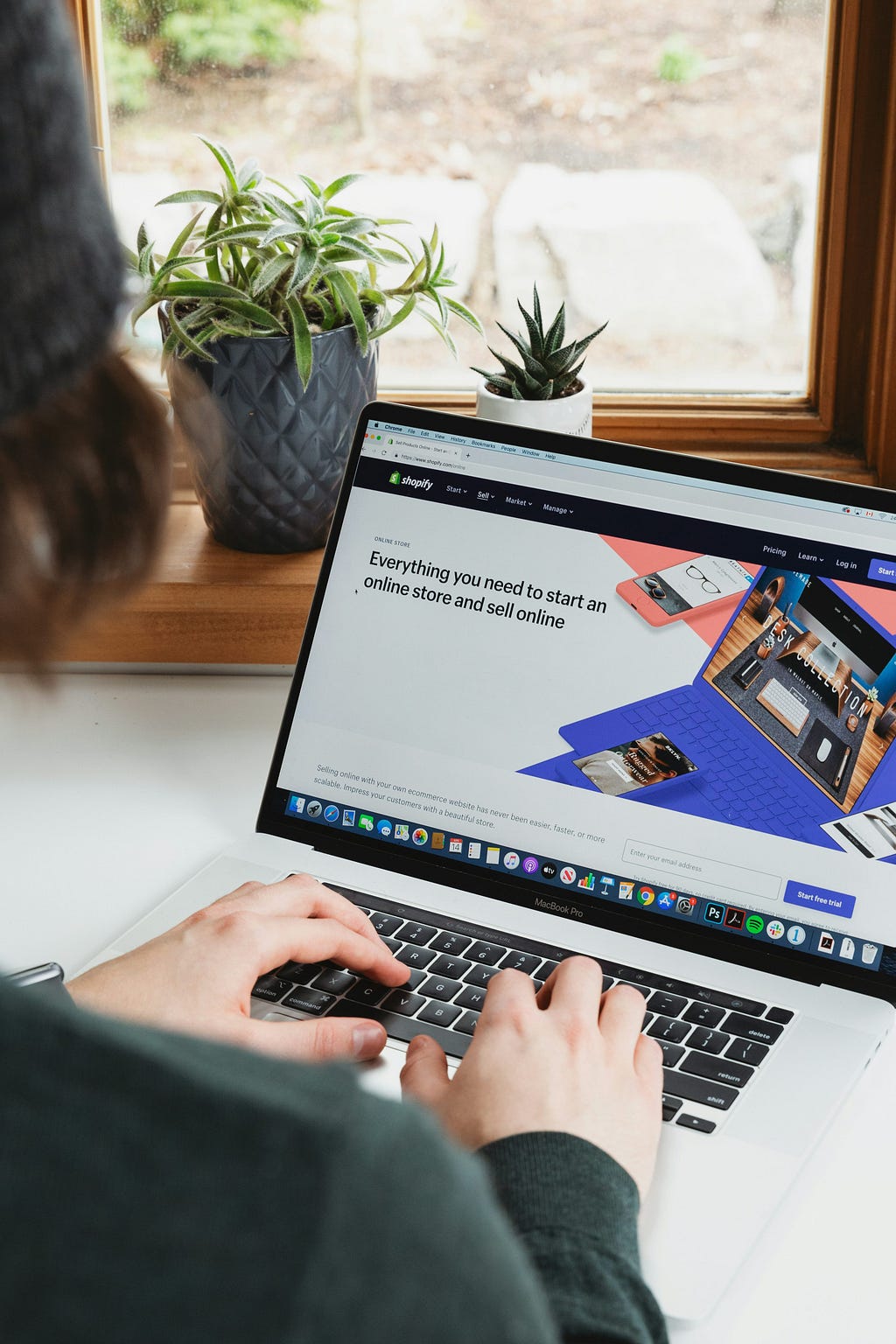
Image by https://unsplash.com/@robertocortese

As we step into February 2025, it’s the perfect time to level up your Shopify store with the right tools. Whether you’re looking to boost sales, enhance SEO, or create eye-catching designs, these five Shopify apps will help you stay ahead of the competition. Let’s dive into the best apps to supercharge your store this year!

1. Avada SEO Suite

🚀 Optimise your store’s SEO effortlessly

Avada SEO Suite continues to be a top pick for Shopify merchants, and for good reason. This app simplifies technical SEO so you can focus on growing your business. From SEO audits and page speed boosters to structured data and keyword research, Avada covers all bases to ensure your site is visible and fast.

Key Features:

  • SEO Audit: Automatically scans your site and provides actionable fixes for titles, meta tags, and more.
  • Page Speed Optimisation: Compress images, enable lazy loading, and boost site performance, especially on mobile.
  • Technical SEO Tools: Includes rich snippets, sitemap creation, and 404 error fixes.
  • Monthly Reports: Track your SEO improvements with detailed analytics.

If outranking competitors is your priority, Avada is a must-have.

Try Avada SEO Suite

2. autoBlogger

✍️ Fully automate your blog and supercharge SEO

Content marketing can be a game-changer for Shopify stores, but let’s be honest — it’s time-consuming. That’s where autoBlogger steps in. Powered by AI, autoBlogger generates SEO-friendly blog posts that integrate seamlessly with your Shopify blog. From meta descriptions to embedded product links, this tool ensures every post is optimised to drive traffic and sales.

Key Features:

  • Set-and-Forget Blogging: Daily AI-generated blog posts, fully optimised for SEO.
  • Rich Content: Auto-includes FAQs, tables of contents, and product links to keep readers engaged.
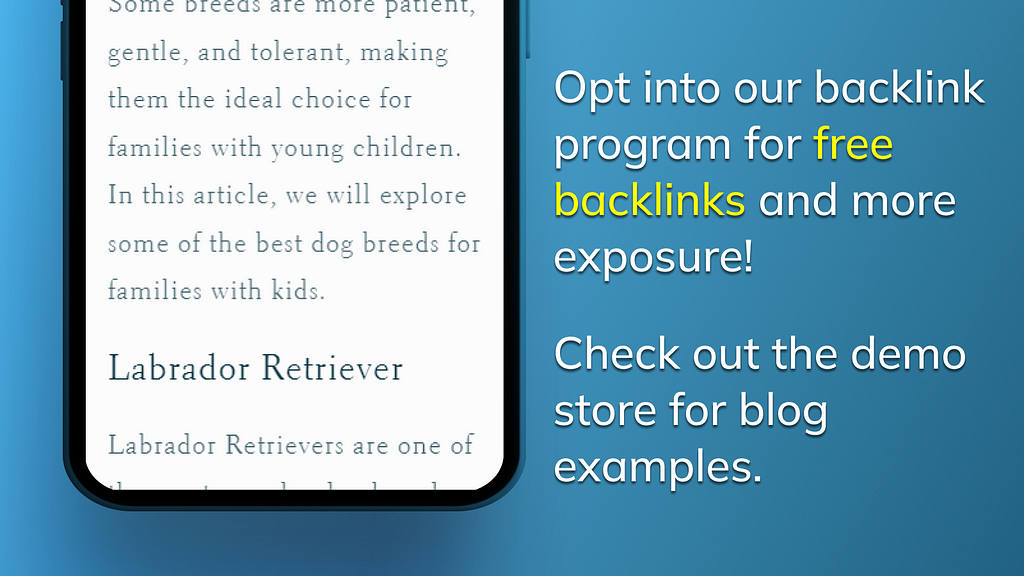
  • Backlink Programme: Opt-in for free backlinks from other autoBlogger users, boosting domain authority.
  • Easy Management: Plan and edit posts right within Shopify’s blog interface.

For store owners who want to save time while growing their audience, autoBlogger is a no-brainer. Why spend hours blogging when you can automate the entire process?

Try autoBlogger

3. Judge.me Product Reviews App

Turn social proof into sales

Customers trust other customers. Judge.me makes it easy to collect, display, and leverage customer reviews to build credibility and drive conversions. With stunning widgets and seamless integrations, you’ll not only gain reviews but also showcase them effectively to maximise impact.

Key Features:

  • Unlimited Reviews: Collect reviews with photos and videos to enhance product credibility.
  • Customisable Widgets: Star ratings, pop-ups, and carousels to match your brand.
  • Social Proof: Push reviews to Google Shopping, Meta, and other platforms.
  • 24/7 Support: Get help whenever you need it, with a response time of under 50 seconds.

Judge.me is the ultimate app for leveraging user-generated content and increasing your store’s trust factor.

Try Judge.me

4. Klaviyo: Email Marketing & SMS

📧 Personalised marketing made simple

Klaviyo has set the gold standard for Shopify email and SMS marketing. It allows you to centralise customer data and use it to craft personalised campaigns that convert. From automation to analytics, Klaviyo ensures your communications are as effective as they are engaging.

Key Features:

  • Custom Segments: Use real-time and historical data to target specific customer groups.
  • Omnichannel Campaigns: Create workflows for welcome emails, price drops, abandoned carts, and more.
  • Detailed Analytics: Track revenue generated from every email and SMS campaign.
  • Templates & AI Tools: Save time with pre-designed templates and AI-powered recommendations.

If you’re looking to grow revenue through targeted marketing, Klaviyo is a must-have.

Try Klaviyo

5. PageFly Landing Page Builder

🖌️ Design stunning pages with ease

PageFly is your go-to app for customising Shopify pages. Whether you’re launching a sale, introducing a new product, or designing a visually stunning homepage, PageFly makes it simple. With drag-and-drop functionality and 100+ templates, you can create a professional-looking store without hiring a developer.

Key Features:

  • Unlimited Design Options: Build pages with custom elements or use pre-made templates.
  • CRO-Focused Features: Add countdowns, cross-sells, and banners to boost conversions.
  • SEO-Optimised Code: Pages load quickly and perform well on all devices.
  • App Integrations: Connect seamlessly with other apps like Judge.me and Klaviyo.

If you want full control over your store’s design, PageFly is the perfect solution.

Try PageFly

Final Thoughts

Choosing the right Shopify apps can be the difference between good and great. While tools like Avada SEO Suite, Judge.me, Klaviyo, and PageFly help streamline operations and drive conversions, autoBlogger adds a unique touch by automating content creation, a crucial yet often overlooked strategy for organic growth.

Ready to transform your Shopify store? Start exploring these apps today and take your business to new heights in 2025.


Labels:

Mobile Magic: Crafting a Flawless Checkout Journey for Shopify Shoppers

person holding black android smartphone
Photo by Priscilla Du Preez 🇨🇦 on Unsplash

Designing a Seamless Checkout Experience for Mobile Shoppers on Shopify

In today’s fast-paced digital world, shopping on mobile devices has become as common as forgetting where you left your keys. With the global mobile commerce market projected to reach over $3 trillion, it’s safe to say that if your Shopify store isn’t optimized for mobile, then you might as well be selling ice to Eskimos.

In this article, we’ll explore how to design a seamless checkout experience for mobile shoppers on Shopify. So grab your favorite beverage, get comfy, and let’s dive in!

Understanding the Mobile Shopper

Before we start tinkering with layouts and buttons, it’s crucial to understand the mobile shopper’s mindset. Mobile users are typically:

  • In a hurry: They want to complete their shopping quickly.
  • Impatient: If they encounter too many hurdles, they’ll abandon their cart faster than you can say “discount code.”
  • Visual: They respond to appealing visuals and intuitive designs.

Keeping this in mind, let’s move on to the nitty-gritty of creating a seamless checkout experience.

1. Simplify Your Checkout Process

One of the biggest mistakes you can make is having a lengthy checkout process. Each extra step is a potential drop-off point. Aim for a one-page checkout if possible. Here’s how:

  • Limit form fields: Only ask for essential information. No one wants to fill out their life story to buy a pair of socks.
  • Guest checkout option: Allow customers to make a purchase without creating an account. If they love your products enough, they’ll come back to create an account later — trust me, you’re not that important to them yet.
  • Auto-fill options: For fields like addresses, leverage browser capabilities to auto-fill, making it easier for users.

2. Optimize for Mobile Usability

Mobile screens are like tiny windows to the vast world of e-commerce. Ensuring that your checkout process is user-friendly on mobile is essential. Here’s how you can do it:

  • Large buttons: Make buttons big enough to tap without needing precision. Nobody wants to play a game of “where’s the button?”
  • Readable fonts: Ensure the text is legible without requiring a magnifying glass. A font size of 16px is generally a safe bet.
  • Responsive design: Your checkout page should look good on all devices, from the latest smartphone to that ancient tablet you refuse to toss out.

3. Trust Signals Are Key

Trust is the currency of online shopping. If customers don’t trust your site, they won’t complete their purchase. Here’s how to build trust during the checkout process:

  • Security badges: Display security seals prominently. It’s like a “trust me, I’m a doctor” badge, but for your website.
  • Clear return policy: Make it easy for customers to find your return policy. If they know they can return items hassle-free, they’ll be more inclined to buy.
  • Customer reviews: Showcase testimonials or ratings on the checkout page. Nothing says “buy me” like seeing that other people love your stuff.

4. Offer Multiple Payment Options

In the same way, you wouldn’t want to be limited to just one flavor of ice cream (what’s up with vanilla anyway?), don’t limit your customers to just one payment method. Offer a variety of options:

  • Credit and debit cards: The classic choices that never go out of style.
  • Digital wallets: Options like PayPal, Apple Pay, and Google Wallet are becoming increasingly popular.
  • Buy now, pay later: Services like Afterpay or Klarna can help increase your average order value by allowing customers to split payments.

5. Mobile-Friendly Visuals

Remember, mobile shoppers are visual creatures. Your checkout page should be as enticing as a well-decorated dessert table. Here are some tips:

  • High-quality images: Ensure that product images are clear and show multiple angles. A blurry image of your product won’t win any hearts (or sales).
  • Minimal distractions: Keep the checkout page clean. Avoid unnecessary pop-ups or ads that could divert attention away from the purchase.
  • Progress indicators: Show customers how far along they are in the checkout process. It’s like a little countdown to their sweet, sweet purchase.

6. Test, Test, and Test Again

The best way to ensure your checkout process is seamless is to keep testing it. Use A/B testing to experiment with different layouts, buttons, and text to see what works best for your audience. Remember, the only thing worse than a broken checkout process is finding out about it after your customers have left. Ouch!

Gather feedback from users and monitor analytics to identify pain points. If you notice a significant drop-off at a certain stage, it’s time to investigate and improve. Think of it as a “health check” for your checkout process — and nobody wants a sick checkout process!

7. Consider Using Shopify Apps

Shopify has an extensive app ecosystem that can help streamline your checkout process. One standout option is autoBlogger. This app allows you to create quality content that can help drive traffic to your store, increasing the chances of conversion. It’s like having a personal assistant who can write engaging blog posts while you kick back and relax.

Conclusion

Creating a seamless checkout experience for mobile shoppers on Shopify is crucial for boosting conversion rates and ensuring customer satisfaction. By simplifying the process, optimizing for mobile usability, incorporating trust signals, offering multiple payment options, and using engaging visuals, you can help ensure your customers complete their purchases without any hiccups.

So, roll up your sleeves and start making those changes. Your customers will thank you — and their credit cards will too! And don’t forget to check out autoBlogger to enhance your content strategy while you’re at it!

Note, this article was written with AI assistance to improve readability and give you, the reader, a better experience! :)


Labels:

Friday, January 24, 2025

Influencer Magic: How Social Media Stars Are Revolutionizing E-Commerce Sales

assorted-color abstract painting
Photo by Hal Gatewood on Unsplash

The Impact of Social Media Influencers on E-Commerce Sales

In the vast landscape of e-commerce, where competition is as fierce as a catfight over a sunny windowsill, social media influencers have emerged as the unlikely heroes — or perhaps more accurately, the fairy godmothers — of brands looking to increase sales. With the ability to reach millions of followers at the click of a button, these modern-day marketing wizards have transformed how businesses interact with consumers. But just how deep does this influence run? Grab your favorite drink (and maybe a snack, because this could take a while), and let’s delve into the fascinating world of social media influencers and their undeniable impact on e-commerce sales.

Who are these Influencers Anyway?

First things first, let’s clarify who we’re talking about. Social media influencers are individuals who have gained a significant following on platforms like Instagram, TikTok, Twitter, and YouTube. They can range from mega-influencers with millions of followers to micro-influencers with a few thousand. What they all have in common is their ability to sway opinions and trends, often wielding more power than traditional advertising methods.

The Power of Authenticity

One of the most appealing aspects of influencer marketing is the authenticity that these individuals bring to the table. Unlike traditional advertisements that often feel scripted and impersonal, influencers create content that resonates with their audience on a personal level. When an influencer shares their favorite pair of shoes or a must-have skincare product, it doesn’t feel like a sales pitch; it feels like a trusted friend recommending a good book or a little-known ice cream shop.

This authenticity is key. According to a study conducted by BrightLocal, 79% of consumers say user-generated content highly impacts their purchasing decisions. This means that when an influencer showcases a product, their followers are more likely to trust that recommendation, making it a golden opportunity for e-commerce brands.

Influencers: The New Salespeople

Gone are the days when the corner store owner was the go-to source for product recommendations. Now, social media influencers have taken on that role, often becoming the new salespeople in the digital marketplace. They possess the ability to introduce products to an audience that might not have otherwise discovered them. This is particularly crucial for e-commerce brands looking to reach niche markets.

  • Visibility: Influencers can create buzz around a product, increasing its visibility exponentially.
  • Engagement: They engage with their followers, answering questions and sharing experiences, which fosters a sense of community.
  • Conversions: Influencer posts often lead to increased conversion rates, with followers more likely to purchase after seeing a product featured by someone they trust.

How Influencers Drive E-Commerce Sales

Now that we understand the power behind influencers, let’s take a closer look at how they actually drive e-commerce sales. Here are some key strategies they employ:

1. Authentic Content Creation

Influencers are masters at creating engaging content that showcases products in a way that feels natural. Whether it’s through beautiful photography, entertaining videos, or relatable storytelling, they know how to make a product shine. When an influencer shares a “day in the life” video that features a product, it’s like a sneak peek into a world where that product is a necessity. Suddenly, that lip balm isn’t just another item on the shelf — it’s a must-have for your daily routine.

2. Limited-Time Promotions

Influencers often create urgency by promoting limited-time offers or exclusive discounts. When they say, “Get this product before it’s gone!” you can almost hear the collective gasp of their followers rushing to make a purchase. This tactic not only boosts sales but also creates a sense of excitement surrounding the product.

3. Collaboration and Brand Ambassadorships

Many brands partner with influencers for long-term collaborations, effectively turning them into brand ambassadors. This is like having your cake and eating it too — brands get consistent exposure to the influencer’s audience, and influencers get to promote products they genuinely love. It’s a win-win situation that often leads to increased loyalty from consumers.

4. Social Proof

Humans are social creatures, and we tend to follow the herd. Influencers provide social proof, showcasing how popular a product is by featuring it in their posts. When followers see their favorite influencer loving a product, they’re more likely to hop on the bandwagon. It’s like seeing your friend with the latest phone model; suddenly, you feel compelled to upgrade yours too!

Measuring Success: The ROI of Influencer Marketing

Now that we’ve established how influencers drive sales, let’s talk about the burning question — how do brands measure the success of these campaigns? After all, if you can’t measure it, did it even happen? Here are a few metrics brands use to gauge the effectiveness of influencer marketing:

  • Engagement Rate: Likes, comments, and shares are clear indicators of how well an influencer’s audience is responding to the content.
  • Traffic to Website: Brands often provide influencers with unique links or discount codes to track how much traffic is being driven to their e-commerce site.
  • Sales Conversion: Ultimately, the most important metric is sales. Brands can track how many purchases were made as a direct result of an influencer’s promotion.

The Future of Influencer Marketing

As we move further into the digital age, the role of influencers in e-commerce is only expected to grow. Brands will continue to invest in influencer partnerships, recognizing their power to reach targeted audiences in an authentic way. Additionally, the rise of new social media platforms and features — like TikTok’s shoppable videos — will provide even more opportunities for influencers to drive sales.

However, with great power comes great responsibility. As the influencer landscape becomes increasingly crowded, authenticity will be key. Followers are becoming savvier and can quickly spot inauthentic endorsements. Brands and influencers alike must strive to maintain trust and transparency with their audiences.

In Conclusion

In a world where attention spans are shorter than a hamster’s memory, social media influencers have become the torchbearers of e-commerce marketing. Their ability to connect with audiences, create engaging content, and drive sales is unparalleled. For e-commerce brands, collaborating with influencers can be a game-changer, making product visibility and authenticity more accessible than ever.

So, whether you’re a small business owner looking to boost your online sales or a consumer scrolling through your social feeds, remember the impact these influencers have on the products we love (and sometimes love to hate). And if you’re looking to streamline your content and keep your marketing fresh, consider using the autoBlogger app on Shopify, which can help you generate engaging content with the same magical touch that influencers bring to the table.

Note, this article was written with AI assistance to improve readability and give you, the reader, a better experience! :)


Labels:

Tuesday, January 21, 2025

Unleashing B2B Potential: How Shopify Plus Can Supercharge Your E-commerce Strategy

a couple of boats that are sitting in the water
Photo by Lennie Schmutz on Unsplash

Leveraging Shopify Plus for B2B E-commerce Growth Strategies

In the vast ocean of e-commerce, B2B (business-to-business) is often overshadowed by its more glamorous sibling, B2C (business-to-consumer). However, with the right strategies, B2B can be just as thrilling, if not more so! Enter Shopify Plus, the heavyweight champion of e-commerce platforms. If you’re ready to take your B2B business to the next level, grab a cup of coffee (or something stronger) and let’s dive into how you can leverage Shopify Plus for serious growth.

Why Shopify Plus?

First things first, why should you consider Shopify Plus for your B2B e-commerce needs? Think of Shopify Plus as the Swiss Army knife for online businesses. It’s equipped with a plethora of features tailored for high-volume merchants and complex sales processes. Here’s what makes it stand out:

  • Scalability: Whether you’re selling 10 widgets a month or 10,000, Shopify Plus can handle it. It grows with your business, so you won’t have to worry about outgrowing your platform.
  • Customizability: With Shopify Plus, you get access to advanced customization options. Want a unique checkout experience? You got it!
  • Dedicated Support: Enjoy 24/7 support from a team that knows their stuff. It’s like having a personal assistant who actually knows what they’re doing.
  • Multi-channel Selling: Easily sell across various platforms, including social media, marketplaces, and even your own brick-and-mortar store.

Strategies for B2B Growth

Now that we’ve established why Shopify Plus is a fabulous choice, let’s explore some strategies to supercharge your B2B e-commerce growth.

1. Personalized Experiences

In the world of B2B, every customer is unique — just like a snowflake, but much less cold and likely with more spreadsheets. Use Shopify Plus’s customization capabilities to create personalized experiences for your customers. Tailor product recommendations, pricing, and content based on their previous behavior. This not only enhances their shopping experience but also builds lasting relationships. Remember, happy customers are repeat customers!

2. Streamlined Checkout Process

When it comes to B2B transactions, time is money. A complicated checkout process can lead to abandoned carts faster than you can say “Where did my customers go?” Utilize Shopify Plus’s customizable checkout options to simplify the process. Consider features like:

  • Guest checkout for quick purchases.
  • Saved payment methods for regular customers.
  • Custom fields for purchase orders or special requests.

Make it so easy that your customers can do it in their sleep — though we don’t recommend that!

3. Leverage Automation

Automate, automate, automate! In the fast-paced world of B2B, efficiency is key. Shopify Plus offers various automation tools that can save you time and headaches. For instance, streamline your order processing and inventory management. You can also automate marketing campaigns to target specific segments of your customer base. If you’re still doing everything manually, it’s time to join the 21st century!

4. Optimize for Mobile

In today’s fast-moving business landscape, your clients are likely on the go. They’re checking emails, reviewing orders, and comparing prices — all from their phones. Ensure your Shopify Plus store is mobile-optimized to provide a seamless experience. Use responsive design, fast-loading pages, and easy navigation to keep your customers engaged. If your site looks like it’s from the 90s, you might lose out on some serious sales!

5. Invest in Content Marketing

Content is king. Or queen. Or whatever title you prefer! Creating valuable content establishes your industry authority and attracts potential buyers. With Shopify Plus, you can easily integrate a blog into your store. Share insightful articles, how-to guides, and product updates. And if you want to take it a step further, consider using the autoBlogger app to automate your content creation process. This nifty tool can help you churn out relevant blog posts that keep your audience engaged without breaking a sweat!

6. Build Strong Relationships

B2B is all about building relationships. Use Shopify Plus’s built-in CRM capabilities to manage your customer interactions. Keep track of previous conversations, understand their pain points, and follow up regularly. Send personalized emails or newsletters that speak directly to their needs. Remember, people do business with those they trust. So, be that trustworthy friend who always has their back!

7. Utilize Analytics

In the world of e-commerce, data is your best friend. Shopify Plus offers robust analytics that can help you track customer behavior, sales trends, and overall performance. Use this data to make informed decisions about your marketing strategies and product offerings. If you want to know what’s working (or not working), this is the place to look. Nothing like a good old spreadsheet to put your life into perspective!

8. Implement Loyalty Programs

Everyone loves a little reward, right? Implementing a loyalty program can encourage repeat business and foster brand loyalty. With Shopify Plus, you can easily create a program that offers discounts, exclusive access to products, or even points for every purchase. Make your customers feel appreciated, and they’ll keep coming back for more. Just like that favorite pizza place that always remembers your order!

Conclusion

In the ever-evolving landscape of B2B e-commerce, leveraging Shopify Plus can provide you with the tools and flexibility you need to grow your business. From personalized experiences to automated processes, the platform is packed with features designed to enhance efficiency and customer satisfaction. Remember, the key to success lies in understanding your customers and adapting to their needs. With these strategies in your toolkit, you’ll be well on your way to B2B e-commerce domination!

So, are you ready to transform your B2B business with Shopify Plus? Dive in, have some fun, and don’t forget to check out the autoBlogger app for all your content creation needs. Happy selling!

Note, this article was written with AI assistance to improve readability and give you, the reader, a better experience! :)


Labels:

Sunday, January 19, 2025

Unleashing the Power of Automation: The Innovation Behind autoBlogger

autoBlogger

Hello, fellow ecommerce enthusiasts! Today, I’m excited to share with you the magic behind my Shopify app, autoBlogger. If you’re a Shopify store owner, you know how essential it is to keep your store fresh with relevant content. But let’s face it, who has the time? Fear not! With autoBlogger, you can set it and forget it. Yes, you read that right! It’s like a slow-cooked meal for your blog — just set it up and let it simmer while you go about your day! 🍽️

What Makes autoBlogger Stand Out?

So, what makes this app the unicorn of the Shopify ecosystem? Well, let’s peel back the layers of this innovation:

  • AI-Powered Title Generation: Say goodbye to writer’s block! Just select a topic, and our AI will whip up a buffet of related blog titles for you to choose from. It’s like having your very own brainstorming buddy — minus the awkward small talk.
  • Customizable Content: You have the power to select, sort, delete, or even add your own blog titles. Want to throw in a pun or a quirky phrase? Go for it! Creativity is encouraged.
  • Automatic Publishing: Imagine this: You pick some titles, tweak a few things, and then BAM! New blog articles are published 7 times a week without lifting a finger. It’s almost like having a magic genie — only it doesn’t grant wishes, but it does grant you more time.
  • SEO Fine-tuning: Adding keywords? Oh, absolutely! You can prioritize keywords throughout your content with ease. This means that your articles won’t just be good reads; they’ll also be optimized to attract traffic!
  • Backlink Program: Want to boost your online presence? Opt into our backlink program! Share and receive backlinks with other users, expanding your reach and visibility across different blogs.
  • Multilingual Support: Available in 20 languages, autoBlogger is designed to serve a global audience. No matter where your customers are, you can cater to them in their language. That’s what I call global domination!

How Does autoBlogger Work?

Using autoBlogger is as easy as pie (and who doesn’t love pie?):

  1. Select a Topic: Choose a topic that resonates with your brand and audience.
  2. Generate Titles: Watch our AI work its magic as it generates a list of catchy blog titles.
  3. Customize: Select and modify titles or even come up with your own! The choice is yours.
  4. SEO Setup: Add keywords that are essential to your business and let autoBlogger handle the rest.
  5. Let it Roll: Sit back, relax, and let autoBlogger create and publish your blog articles automatically!

The Benefits of Using autoBlogger

Now let’s talk about why you should consider using autoBlogger:

  • Boost SEO: Fresh content is king when it comes to search engine ranking. With regular blog posts, you’ll keep your store relevant and visible.
  • Engage Customers: Interesting blog content can draw customers into your store, leading to increased engagement and sales.
  • Save Time: Free up hours of your life that you can invest in other aspects of your business — or perhaps binge-watching that show everyone is talking about.
  • 14-Day Free Trial: Still on the fence? Try autoBlogger for free for 14 days. No strings attached, just pure blogging joy.

SEO and Keywords: Your Secret Weapons

If you think you can just slap a random keyword in your article and call it a day, think again! With autoBlogger, you can add a list of keywords that will be prioritized throughout the article. This means that your content will not only be engaging but also attract the right audience.

Are there specific keywords you want to include? Just add them to your list, and watch autoBlogger sprinkle them throughout your articles like fairy dust. Why? Because we believe that good content is like a fine wine — it gets better with the right ingredients!

Linking Products Like a Pro

Do you have a lineup of products that deserve the spotlight? With autoBlogger, you can select products that you want to be automatically linked throughout your articles. It’s like having a personal shopper who knows exactly what to recommend to your readers. This not only makes your articles more informative but also drives traffic to your product pages.

In Conclusion

To wrap things up, autoBlogger is not just an app; it’s a game-changer for Shopify store owners. By leveraging AI technology, automation, and SEO best practices, it helps you create engaging content that keeps your store thriving. So, if you haven’t already, give it a whirl with our 14-day free trial! Your future self will thank you. 🎉

For more information, check out our website: autoblogger.bot. Get ready to transform your blogging game!

What are you waiting for, try autoBlogger now!

autoBlogger


Labels:

TikTok Ban — Will President Trump Save TikTok?

It would have been funny if you told me years ago that President Trump would save TikTok. Back in 2020, President Trump viewed the app as…


Labels:

Friday, January 17, 2025

Revolutionizing the Box: How Innovative Packaging is Fighting E-Waste in Online Retail

brown clay pot on blue wooden table
Photo by Markus Spiske on Unsplash

The Impact of Packaging Innovations on Reducing Waste in Online Retail

In a world where the phrase “one more package” strikes both excitement and anxiety in our hearts, it’s time to dive into the often-overlooked realm of packaging innovations in online retail. With the rise of e-commerce, we’ve seen a corresponding increase in packaging waste — so much so that some of us might need a GPS to find our front door amidst the sea of cardboard boxes and bubble wrap. But fear not! Packaging innovations are here to save the day (and our planet). Let’s explore how these innovations are making a difference.

The Current State of Packaging Waste

Before we jump into the exciting innovations, let’s take a moment to understand the problem. According to the EPA, packaging waste accounts for nearly 30% of all municipal solid waste in the United States. That’s roughly 80 million tons of packaging waste generated every year! If that number doesn’t make you feel guilty about your online shopping habits, I don’t know what will.

Now, let’s do some quick math. If each online order comes with an average of 2.5 pounds of packaging, and the average American is expected to receive around 25 packages per year, that’s over 62.5 pounds of packaging per person. Multiply that by the U.S. population, and you’ve got yourselves a ton of waste — literally! It’s time to change the narrative around packaging.

Innovative Packaging Solutions

Fortunately, the packaging industry has woken up to the dire need for change. Here are some innovative approaches that are making waves in the quest to reduce waste:

1. Eco-Friendly Materials

It’s not just about the size of the package; it’s also about what it’s made of. Traditional packaging materials like plastic and Styrofoam are notorious for being non-biodegradable and harmful to the environment. In contrast, many retailers are now opting for eco-friendly materials.

  • Biodegradable Plastics: Made from renewable resources, these plastics break down more easily than traditional plastics.
  • Recycled Materials: Packaging made from recycled paper or cardboard helps reduce the demand for new raw materials.
  • Compostable Packaging: Materials that can be composted in industrial settings are gaining popularity, helping to enrich the soil instead of harming it.

So, the next time you receive a package, take a moment to appreciate the eco-friendly materials it’s wrapped in. It’s like opening a present that also happens to be good for the planet!

2. Reducing Packaging Size

Ever received a tiny item in a box big enough to fit a small child? That’s the type of packaging waste we’re talking about. Companies are now focusing on minimizing packaging size to reduce waste. From using custom-fit boxes to vacuum-sealed bags, the aim is to ensure that the packaging is appropriate for the product being shipped.

Additionally, many retailers are starting to utilize frustration-free packaging — a fancy term for packaging that’s easy to open and doesn’t require a degree in advanced engineering to figure out. This type of packaging often uses less material overall, which is a win-win!

3. Reusable Packaging

Imagine receiving your online order in a durable, reusable container that you can send back to the retailer for future use. This concept is gaining traction, with companies like Loop pioneering the way for reusable packaging systems. Instead of one-and-done packaging, you can now become a part of the circular economy!

These systems not only reduce waste but also create a sense of brand loyalty. Customers feel good about their purchases when they know they’re contributing to sustainability efforts. Plus, it gives us a reason to feel like hipsters — who doesn’t love a good reusable container?

The Role of Technology in Packaging Innovation

As with any industry, technology plays a crucial role in facilitating packaging innovations. With the rise of AI, machine learning, and data analytics, retailers can now optimize their packaging processes like never before. Here’s how:

1. Data-Driven Decisions

Thanks to advancements in technology, retailers can analyze shipping data to identify trends in packaging waste. This allows them to make informed decisions about how to reduce waste without sacrificing the customer experience. For example, if a particular item is frequently returned due to damage, retailers can adjust their packaging accordingly.

2. Smart Packaging

Smart packaging is the future! Imagine a package that communicates with you — letting you know when it’s time to recycle or even reminding you of the best way to dispose of it. This technology could revolutionize how we interact with packaging and empower consumers to make more sustainable choices.

3. Automation in Packaging

Enter the world of automation! Machines can now pack products more efficiently, reducing the amount of waste generated during the packing process. This not only speeds up the process but also ensures that the right amount of packaging is used. It’s like having a personal packing assistant who never gets tired or makes mistakes — sign me up!

Retailers Leading the Charge

As consumers become more conscious of their environmental impact, many retailers are stepping up to the plate. Here are a few notable companies making strides in reducing packaging waste:

  • Amazon: With its Frustration-Free Packaging program, Amazon is working to minimize waste while ensuring a positive unboxing experience.
  • Uncommon Goods: This retailer focuses on using recycled and biodegradable materials for its packaging, all while offering unique and quirky products.
  • Patagonia: Known for its environmental activism, Patagonia uses minimal packaging and encourages customers to recycle their products.

These companies are not just reducing waste; they’re also setting an example for others in the industry to follow. And you know what they say: “With great packaging comes great responsibility.” Okay, maybe that’s not how the saying goes, but you get the point!

The Future of Packaging Innovations

The future is looking bright for packaging innovations. As we continue to prioritize sustainability, we can expect more retailers to adopt eco-friendly practices and invest in research and development. From biodegradable materials to smart packaging, the possibilities are endless.

As consumers, we also have a role to play. By supporting brands that prioritize sustainable packaging, we can encourage more companies to follow suit. Remember, every little bit counts! And no, I’m not just talking about the crumbs from that snack you had while shopping online.

Conclusion

In conclusion, packaging innovations are proving to be a game-changer in reducing waste in online retail. As we embrace eco-friendly materials, minimize packaging size, and explore reusable options, we’re not only helping the planet but also enhancing our shopping experience. So, the next time you receive a package, take a moment to appreciate the thoughtfulness behind the packaging.

And if you’re a retailer looking to dive into the world of content creation to share your sustainable practices, consider using the autoBlogger app on Shopify to automate your blogging efforts and keep your customers informed about your eco-friendly initiatives!

Note, this article was written with AI assistance to improve readability and give you, the reader, a better experience! :)


Labels:

Sunday, January 12, 2025

Unlocking the Full Potential of Your Shopify Store with autoBlogger

autoBlogger

Hey there, ambitious Shopify store owner! Are you ready to take your eCommerce game to the next level? If you’re nodding your head, then grab a comfy seat and let’s dive into how you can supercharge your store with the magic of autoBlogger. Spoiler alert: It’s not just any app; it’s your new best friend in the world of SEO and content creation!

What is autoBlogger?

Let’s get straight to the point. autoBlogger is like having a trusty sidekick equipped with the latest AI technology, designed specifically for Shopify. Picture this: you select a topic, and voilà! A plethora of related blog titles are generated for you. It’s like having a brainstorming buddy who never runs out of ideas!

How Does It Work?

  • Select a Topic: You choose what you want to write about.
  • Generated Titles: autoBlogger creates multiple related blog titles automatically.
  • Sort and Customize: You can sort, delete, or even add your own titles.
  • Automatic Article Creation: Articles are created and published for you — up to 7 times a week!
  • SEO Optimization: You can add keywords, and autoBlogger incorporates them where it makes sense.

Yes, you read that right — set it and forget it! Just like that old kitchen gadget you bought on a whim but actually use every day. You can now focus on the million other things that running a business entails, while autoBlogger takes care of your content needs.

The SEO Boost You’ve Been Waiting For

What’s the golden rule of eCommerce? If you’re not on the first page of Google, do you even exist? autoBlogger gives your Shopify store a significant SEO boost. By generating high-quality, keyword-optimized blog content, you’re not only engaging your audience but enticing search engines to love you.

Keyword Prioritization

Another feather in the cap of autoBlogger is that it allows you to add a list of keywords. These keywords will be prioritized throughout the articles, ensuring that your store gets the attention it deserves. Think of it as sprinkling fairy dust on your content — only this fairy dust actually works!

Engaging Customers Like Never Before

Content is king, and engagement is queen. With autoBlogger, your Shopify store can publish blog articles that not only inform but also engage your customers. Articles can include images and links to your products, making it super easy for customers to transition from reading to shopping.

Linking Your Products

Imagine your customers reading an article that they find valuable, only to discover that the product you mentioned can be purchased with a simple click. That’s the beauty of autoBlogger — you can select products to link throughout the article. It’s cross-promotion at its finest!

The Backlink Program: Share the Love

But wait, there’s more! If you’re a fan of sharing, autoBlogger has a backlink program you can opt into. This is your chance to expose your store to a broader audience. When you participate, your backlinks will occasionally be shared in other blogs, and other users’ backlinks will be shared on yours. It’s like a community of eCommerce warriors coming together for mutual growth. Who doesn’t love a little teamwork?

14-Day Free Trial

Still on the fence? Worry not! autoBlogger offers a 14-day free trial, giving you ample time to explore all its features without spending a dime. Consider it a test drive. You wouldn’t buy a car without taking it out for a spin, right?

Multilingual Magic

Are you targeting international customers? autoBlogger is available in 20 languages! Now, you can cater to diverse audiences without breaking a sweat. Whether your customers speak English, Spanish, or French, your content can reach them in their language of choice.

How to Get Started?

  1. Visit the Shopify App Store: Head over to autoBlogger.
  2. Install the App: Follow the easy installation process.
  3. Select Your Topics: Get started by choosing a topic that resonates with your brand.
  4. Generate Titles: Let the AI work its magic and generate titles.
  5. Customize and Publish: Sort, delete, and add your own titles, then let autoBlogger handle the rest!

Final Thoughts

Running a Shopify store can be overwhelming, but with tools like autoBlogger, you can lighten the load. From SEO optimization to customer engagement, this app is designed to help you thrive in the crowded eCommerce landscape. So why not give it a shot? With a 14-day free trial, you have nothing to lose and everything to gain!

So, what are you waiting for? Grab your autoBlogger today, and watch your Shopify store soar to new heights!

What are you waiting for, try autoBlogger now!

autoBlogger


Labels:

Friday, January 10, 2025

Unlocking the Secrets of the Cosmos and AI: A Spotlight on I4.com

autoBlogger

In the vast digital landscape where information is abundant yet often untrustworthy, I4.com stands out as a reliable source for those intrigued by two captivating subjects: UFOs and artificial intelligence. This unique platform not only sheds light on the mysteries of extraterrestrial phenomena but also keeps its audience informed about the latest advancements in AI technology. With a mission to explore both the unknown and the cutting-edge, I4.com serves as a beacon for inquisitive minds.

Exploring the Unexplained: UFOs and UAPs

The fascination with unidentified flying objects (UFOs) and unidentified aerial phenomena (UAPs) has been a part of human culture for decades. The allure of the unknown taps into our innate curiosity about what lies beyond our planet. At I4.com, readers will find a treasure trove of articles covering everything from recent government disclosures to personal accounts of sightings.

  • Groundbreaking Government Disclosures: I4.com provides in-depth analyses of official documents and reports released by governments around the world. These disclosures often bring to light new information and foster discussions about the implications of such findings.
  • Fascinating Sightings: The platform features real-time updates about sightings reported globally. These accounts not only spark interest but also contribute to ongoing debates about what we can learn from these encounters.
  • Scientific Discoveries: Readers can dive into articles that explore the intersection of science and UFOs, offering perspectives from astronomers, physicists, and other experts in the field.

I4.com also encourages community engagement by inviting readers to share their own stories and opinions, creating a dynamic conversation around these enigmas that continue to captivate our collective imagination.

Artificial Intelligence: The Future is Now

While UFOs may capture the imagination, the rapid evolution of artificial intelligence is shaping our present and future. I4.com positions itself at the forefront of this evolution, delivering vital information on the innovations and ethical considerations surrounding AI.

The platform covers a wide array of topics within the AI landscape, including:

  1. Natural Language Processing (NLP): Articles delve into how NLP technologies are revolutionizing communication, making it easier for machines to understand and respond to human language.
  2. Computer Vision: Insights into advancements in computer vision technology reveal how machines are increasingly able to interpret and understand visual information from the world around us.
  3. Robotics: The site also explores the role of robotics in industries like manufacturing, healthcare, and even daily life, highlighting how AI is making these machines smarter and more efficient.

Beyond just technological advancements, I4.com raises important questions about the ethical implications of AI. How is technology impacting our society? What regulations should be in place to safeguard against potential misuse? These are the types of discussions you can expect to find on I4.com, making it not just a news source, but a think tank for the future of technology.

Why You Should Follow I4.com

With the world changing at a breakneck pace, staying informed is crucial. Here are several reasons why following I4.com is a must for anyone interested in UFOs and AI:

  • Real-time Updates: The website ensures that you are always in the loop with the latest news and developments.
  • Expert Analysis: Each article is crafted with insights from industry experts, providing depth beyond typical news coverage.
  • Innovative Perspectives: I4.com doesn’t just report on the news; it encourages critical thinking about the implications of both UFO phenomena and AI advancements.
  • Community Engagement: The platform fosters an active community where readers can share insights, ask questions, and engage in debates.

A Community of Curiosity

The mission of I4.com extends beyond delivering news. It’s about building a community of curious individuals eager to explore the unknown. Whether you’re a skeptic, a believer, a tech aficionado, or someone just dipping their toes into the vast waters of these subjects, you will find a welcoming space here.

By sharing insights and information, I4.com aims to demystify the complexities of both UFOs and AI. Readers are encouraged to participate in discussions and contribute their thoughts, fostering collaborative exploration in a field that often polarizes opinion.

Final Thoughts

In an age where information is often fragmented and polarized, I4.com emerges as a vital resource for those eager to learn about UFOs, UAPs, and the exciting world of artificial intelligence. With a commitment to quality journalism, expert analysis, and community engagement, this platform opens the door for deeper understanding and exploration.

Whether you’re seeking the latest UFO sightings or wanting to know about groundbreaking AI research, I4.com is your go-to source. Join the conversation today and be part of the journey as we uncover the mysteries of the cosmos and the potential of artificial intelligence. The truth is out there, and I4.com is dedicated to bringing it to light.

Stay curious, stay informed, and explore the unknown with I4.com!

What are you waiting for, check them out now!

autoBlogger

Disclaimer: The information presented in this blog post is based on publicly available data about the Shopify store I4.com. I am in no way responsible for the accuracy, legality, or any outcomes related to the store or its content. Readers are encouraged to conduct their own research before making any purchases or decisions based on the information provided.


Labels:

Boost Your Online Sales: Mastering Google My Business for E-commerce Success!

text
Photo by visuals on Unsplash

Optimizing Google My Business Listings for E-commerce Stores

In today’s digital age, having an online presence is no longer just an option; it’s a necessity, especially for e-commerce stores. One of the most effective ways to enhance your online visibility is through Google My Business (GMB). If you think GMB is just for brick-and-mortar stores, think again! E-commerce stores can reap significant benefits by optimizing their GMB listings. So, grab a cup of coffee, and let’s dive into the nitty-gritty of GMB optimization.

What is Google My Business?

In case you’re living under a rock, Google My Business is a free tool that allows businesses to manage their online presence across Google, including Search and Maps. It lets you share important information about your business, such as your website, hours of operation, and location (which, for e-commerce stores, can be your shipping or return address). Think of it as your digital storefront — just without the fancy window displays and the risk of having a pigeon poop on your signs.

Why Optimize Your GMB Listing?

Well, you wouldn’t want your e-commerce store to be the best-kept secret on the internet, would you? Here are a few reasons why you should optimize your GMB listing:

  • Increased Visibility: Your GMB listing appears in local search results, making it easier for potential customers to find you.
  • Enhanced Credibility: A well-optimized GMB profile helps build trust with potential customers. If you look good online, you’re more likely to get that coveted click.
  • Better Customer Engagement: With features like reviews, Q&A, and updates, you can engage with your customers directly.

Steps to Optimize Your GMB Listing

Now that you’re convinced of the importance of GMB, let’s roll up our sleeves and get to work. Here are some essential steps to optimize your listing:

1. Claim and Verify Your Listing

The first step is to claim your Google My Business listing. If you haven’t done this yet, it’s time to stop procrastinating (yes, I’m talking to you!). Go to the GMB website, and follow the steps to claim your business. Once claimed, Google will require you to verify it, usually by sending a postcard with a verification code to your business address. Yes, the old-school way — like sending a letter via carrier pigeon, but less romantic.

2. Complete Every Section

When it comes to GMB, more is indeed more! Fill out every possible section of your listing. This includes:

  • Business Name: Ensure it matches your official business name.
  • Address: Provide your shipping address or returns address if you don’t have a physical store.
  • Phone Number: Include a contact number where customers can reach you.
  • Website: Link to your e-commerce website — this is your golden ticket!
  • Business Description: Use this space to describe what your store is about. Keep it engaging, informative, and, dare I say, a bit fun!

3. Choose the Right Categories

Choosing the correct categories for your business is crucial. Think of it as picking the right tags for your social media posts. If you sell handmade candles, select categories like “Home Goods Store” or “Gift Shop.” You can add secondary categories as well, just don’t go category-crazy! Stick to the ones that truly represent your business.

4. Add Photos Like a Pro

They say a picture is worth a thousand words, so why not give your GMB listing a visual makeover? Upload high-quality images that showcase your products, team, or even your workspace (if it’s not too messy). You can include:

  • Product photos
  • Team photos
  • Behind-the-scenes images

Remember, the more inviting your listing looks, the more likely customers are to click through to your website!

5. Collect and Manage Reviews

Reviews are the lifeblood of e-commerce. Encourage your happy customers to leave positive reviews on your GMB listing. Responding to these reviews — both positive and negative — shows that you care about your customers’ feedback. Just remember, if someone leaves a bad review, don’t unleash your inner Hulk; instead, respond professionally and offer a solution. You’re aiming for peace and goodwill here, not a battle royale!

6. Use Posts to Share Updates

Google My Business allows you to create posts to share updates, promotions, or new arrivals. Think of it as your mini-blog on GMB. You can use it to announce sales or sneak peeks of upcoming products. Just be sure to keep the posts engaging; no one wants to read a dull sales pitch. Throw in some humor or a fun fact about your products to catch attention.

7. Set Up Messaging

Did you know you can enable messaging on your GMB profile? This feature allows customers to send you messages directly through your listing. It’s like having a direct line to your customers, minus the awkward small talk. Make sure you check your messages regularly and respond promptly. It’s all about that good customer service!

8. Monitor Insights

Google My Business provides valuable insights about how customers interact with your listing. You can see how many people viewed your profile, how they found you, and what actions they took (like visiting your website or calling you). Use this data to tweak your listing and marketing strategies. It’s like having a crystal ball, but with numbers instead of mystical fog.

Common Mistakes to Avoid

Even the best of us can make mistakes. Here are a few common pitfalls to watch out for:

  • Inconsistent Information: Make sure your business information is consistent across all platforms, from your website to social media to your GMB listing. Confusion is the enemy!
  • Ignoring Reviews: Not responding to reviews can hurt your credibility. Engage with your customers!
  • Neglecting Updates: Keep your information up to date. If your hours change or you have a new product line, make sure your GMB reflects that.

Conclusion

Optimizing your Google My Business listing can be a game-changer for your e-commerce store. Not only does it enhance your online presence, but it also builds trust and engages customers. So, put on your GMB optimization hat and get started! Remember, every little tweak can make a big difference.

And if you’re looking for an easy way to manage your content and keep your online presence fresh, check out the autoBlogger app for Shopify. It’s like having a personal assistant for your blogging needs!

Note, this article was written with AI assistance to improve readability and give you, the reader, a better experience! :)


Labels:

Thursday, January 9, 2025

Switching/Migrating from Shopify Billing API to Managed Pricing for an Existing App

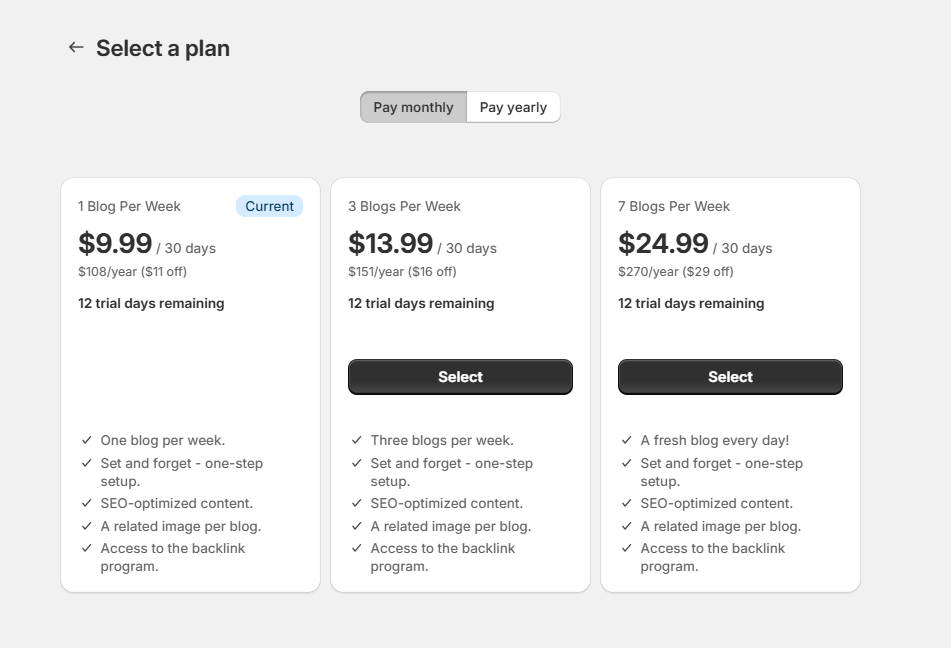
The Managed Pricing plan selection page. Everything is handled by Shopify, giving you one less thing to worry about.

If you’re a Shopify app developer considering switching from the Billing API to Managed Pricing, you’re in the right place. This guide will walk you through the process, using our app, autoBlogger, as an example. Spoiler alert: it’s an incredibly straightforward transition, and this post will show you just how easy it is.

Why Switch to Managed Pricing?

Managed Pricing offers a streamlined and enhanced billing experience. It provides additional tools and features, including the ability to offer annual subscription discounts, trial extensions, special plans, discounts, and easier subscription management directly within the Shopify Admin. This makes it easier for both developers and merchants to handle pricing plans effectively.

Step-by-Step Guide to Making the Switch

1. Edit Your App Listing

Head over to your Shopify Partner Dashboard and locate your app listing.

  1. Click Edit Listing.
  2. Scroll down to the section where your pricing plans are entered.
  3. Click Manage, then navigate to Settings.
  4. Select the option to switch to Managed Pricing.

2. Update Your Billing Selection Page

You’ll need to add a redirect to your old billing selection page to ensure users are directed to the new Managed Pricing page. For example, if you’re using React, you can add the following code to the top of your old billing selection component:

import { useEffect } from 'react';
import { useAppBridge } from '@shopify/app-bridge-react';
import { Redirect } from '@shopify/app-bridge/actions';

const BillingSelection = (props) => {
const app = useAppBridge();
useEffect(() => {
const redirect = Redirect.create(app);
redirect.dispatch(
Redirect.Action.REMOTE,
"https://admin.shopify.com/charges/autoblogger/pricing_plans"
);
}, [app]);
return null;
// I just left the rest of my old component commented ou here,
// in case I wanted to use it again.
};

Add this code snippet to your old billing selection component, and any users attempting to access the old page will be seamlessly redirected to the new Managed Pricing page.

FAQs About the Transition

Will this affect the subscriptions of my current users?

No, existing subscriptions created under the Billing API will continue to recur and function as intended. You don’t need to worry about disrupting your current user base.

Can I still manage legacy users while handling new users through Managed Pricing?

Yes! You’ll still be able to manage legacy subscriptions, including accessing relevant events and webhooks. However, once you opt into Managed Pricing, you won’t be able to create new recurring charges using the Billing API.

Can I revert the change if needed?

Absolutely. You can switch back to the Billing API if necessary. Managed Pricing subscriptions will continue to work even if you revert, but keep in mind that you’ll lose the ability to issue trial extensions and discounts directly from the Shopify Partners UI. These can still be managed programmatically via the Billing API.

Why autoBlogger Made the Switch

At autoBlogger, we believe in leveraging tools that simplify workflows and improve user experiences. Switching to Managed Pricing was a no-brainer. Not only does it make managing subscriptions easier, but it also ensures that our users have a seamless and consistent experience when upgrading or downgrading plans.

Conclusion

Switching to Managed Pricing is an easy and logical choice for most Shopify app developers. With just a few clicks and a minor code adjustment, you’ll be up and running in no time. Plus, you’ll continue to support your legacy users while providing a modern experience for new ones.

If you have any questions about making the switch or implementing the changes in your app, feel free to drop a comment or reach out to us. Happy coding!


Labels:

Tuesday, January 7, 2025

Speed Up Your Sales: Mastering Image Optimization for Shopify Stores

man standing while laptop computer
Photo by Jacky Chiu on Unsplash

The Impact of Image Optimization Techniques on Shopify Store Loading Times

Picture this: you’re browsing an online store, excited to find the perfect pair of shoes. You click on the product, and then you wait. And wait. And wait. How long does it take for those beautiful images to load? If your store is like most, the answer is too long. In the world of e-commerce, loading times are like that friend who can’t find their keys when you’re already late — they can really hold you back!

Why Loading Times Matter

Let’s talk facts: studies show that a one-second delay in page load time can lead to a 7% reduction in conversions. That’s a significant amount of lost revenue, especially during peak shopping seasons. Imagine if you could have those extra sales just by optimizing some images. Sounds easy, right? Spoiler alert: it is!

What is Image Optimization?

Image optimization is the process of delivering high-quality images in the smallest file size possible. It’s like putting your favorite cake in Tupperware — it keeps it fresh without taking up too much space. This means faster loading times, improved user experience, and better SEO rankings.

Common Image Optimization Techniques

Now that we understand why image optimization is crucial, let’s dive into some techniques that can help you get your store loading faster than a cheetah in a hurry.

  • Choose the Right File Format: Use JPEG for photographs, PNG for graphics with fewer than 16 colors, and SVG for logos and icons. It’s like choosing the right outfit for a first date — you want to make a good impression!
  • Resize Images: Before uploading, make sure to resize images to the dimensions they’ll be displayed at. Uploading a 4000x3000 pixel image for a thumbnail is like showing up to a picnic with a three-course meal — overkill!
  • Compress Images: Use tools like TinyPNG or ImageOptim to reduce file sizes without sacrificing quality. It’s like hitting the gym for your images — they’ll look better and feel lighter!
  • Use Lazy Loading: This technique loads images only when they enter the viewport. It’s like waiting for the pizza delivery guy to arrive before you dig into your couch — no need to load everything at once!
  • Leverage Browser Caching: Set your server to cache images, so returning visitors don’t have to reload them every time. Think of it as storing your favorite snacks in your desk drawer for quick access!

The Impact on Loading Times

So, what happens when you implement these image optimization techniques? You guessed it — your loading times improve significantly! A well-optimized image can reduce load times by several seconds. That’s the difference between making a sale and losing a potential customer to a competitor’s lightning-fast site.

Let’s break it down further:

  • Faster Loading = Happier Customers: Nobody likes waiting for images to load. The quicker your site loads, the more likely customers are to stay and shop. It’s like being at a buffet — the faster the food is served, the more you eat!
  • Improved SEO Rankings: Google loves fast-loading websites. Optimizing your images can improve your rankings, which means more organic traffic. It’s the ultimate win-win!
  • Reduced Bounce Rates: A slow-loading site increases bounce rates. By optimizing images, you can keep visitors engaged and browsing your store instead of bouncing away like a rubber ball.

How to Optimize Images on Your Shopify Store

Getting started with image optimization on your Shopify store is easier than you might think. Here’s a step-by-step guide:

  1. Audit Your Images: Take stock of all the images in your store. Identify which ones are oversized or in the wrong format. This is like doing a spring cleaning — it’s refreshing!
  2. Choose the Right Tools: Use image optimization apps available on Shopify. Tools like autoBlogger can automate the process, saving you time and effort. Think of it as having a personal assistant for your images!
  3. Implement Lazy Loading: Use a Shopify app or tweak your theme code to enable lazy loading. This will help improve load times dramatically. It’s like having a personal trainer who makes sure you don’t lift too much too soon.
  4. Test Your Site Speed: After optimization, use tools like Google PageSpeed Insights or GTmetrix to test your site’s speed. It’s like weighing yourself after a workout — you want to see those results!

Common Pitfalls to Avoid

While optimizing images can significantly improve your site’s performance, there are a few common pitfalls you should watch out for:

  • Over-compression: Don’t sacrifice image quality for smaller file sizes. Striking a balance is key. You don’t want customers visiting your site and thinking they’re looking at pixelated potato images!
  • Ignoring Alt Text: Always add descriptive alt text to your images. This not only helps with SEO but also improves accessibility for visually impaired users. It’s like giving your images a voice!
  • Neglecting Mobile Optimization: Ensure that your images are optimized for mobile devices. A significant amount of online shopping is done on smartphones, and nobody wants to pinch and zoom just to see your products!

Final Thoughts

In conclusion, image optimization is not just a technical necessity; it’s a vital part of running a successful Shopify store. By implementing the right techniques, you can significantly improve loading times, enhance user experience, and ultimately boost your sales. Remember, every second counts in the world of e-commerce, and a fast-loading site can be the difference between a happy customer and a frustrated one.

So, roll up your sleeves and start optimizing those images! And if you want to save time while doing it, check out the autoBlogger app on Shopify — it’s like having a superhero for your store’s content!

autoBlogger: Your secret weapon for effortless content management!

Note, this article was written with AI assistance to improve readability and give you, the reader, a better experience! :)


Labels:

Community Notes Coming to Facebook Following X’s Lead

Mark Zuckerburg announced this morning that Facebook's fact-checkers will soon be a thing of the past.


Labels:

Friday, January 3, 2025

Unlocking E-commerce Success: Boost Your Conversion Rates with Shopify Analytics!

MacBook Pro near potted plant
Photo by Alesia Kazantceva on Unsplash

Optimizing Conversion Rates through Shopify Analytics Insights

Welcome, fellow e-commerce enthusiasts! If you’ve stumbled upon this article, chances are you’re either a Shopify store owner or someone who enjoys deep diving into the mysterious world of conversion rates, analytics, and, let’s be honest, a sprinkle of digital wizardry. Today, we’re going to unravel the secrets of boosting your conversion rates using the powerful insights provided by Shopify Analytics. So, grab a cup of coffee (or tea, no judgment here), and let’s embark on this journey together!

Understanding Conversion Rates

First things first, what exactly is a conversion rate? In the grand e-commerce universe, a conversion rate is the percentage of visitors who complete a desired action, such as making a purchase, signing up for a newsletter, or even just clicking on your latest blog post about the best cat costumes for Halloween. (Trust me, it’s a hot topic!)

To calculate your conversion rate, you can use the following formula:

Conversion Rate = (Number of Conversions / Total Visitors) x 100

For example, if your store had 100 visitors last month and 5 of them made a purchase, your conversion rate would be 5%. Simple, right? Now, let’s talk about why you should care about this percentage more than you care about your neighbor’s cat that thinks it’s a dog.

Why Conversion Rates Matter

Your conversion rate is like the gold medal in the Olympics of e-commerce. A higher conversion rate means you’re doing something right, and that’s something to celebrate. It indicates that your website is effectively persuading visitors to take action, which ultimately leads to more sales and, let’s be honest, a fancier lifestyle (or at least enough money for that new pair of shoes you’ve been eyeing).

Diving into Shopify Analytics

Now, let’s talk about the real star of the show: Shopify Analytics. This nifty tool is like having a personal assistant who not only reminds you of your meetings but also dishes out valuable insights about your store. Here’s how you can use Shopify Analytics to optimize your conversion rates:

1. Track Visitor Behavior

Your visitors are like shy guests at a party. They may not always tell you what they want, but they sure will show you through their actions. By diving into the “Sessions” and “Pageviews” metrics, you can gather insights into how visitors are interacting with your store.

  • High Bounce Rate: If visitors are leaving your site faster than you can say “checkout,” it might be time to investigate. Are your product pages engaging enough? Are you offering a seamless browsing experience?
  • Page Performance: Which pages are getting the most views? Are they the ones you thought would perform well, or are you shocked to find a random page about your dog’s birthday party is a fan favorite? Use this data to prioritize improvements.

2. Analyze Traffic Sources

Understanding where your traffic is coming from is crucial. Are people finding you through social media, search engines, or good old-fashioned word of mouth? Check out the “Traffic Sources” report in Shopify Analytics. If you find that social media is driving a lot of traffic, you might want to invest more time in your Instagram game (hello, influencer collaborations!).

3. Identify Top-Performing Products

Not all products are created equal. Some are like the shining stars of your inventory while others are, well, gathering dust on the virtual shelves. Use the “Product Reports” to see which items are flying off the shelves and which ones are just taking a nap. Consider:

  • Product Descriptions: Are they catchy enough to make someone click “Add to Cart” or are they snooze-fests?
  • Pricing: Are your prices competitive? Sometimes, a little adjustment can lead to a spike in conversions.

4. Optimize Checkout Experience

Let’s face it, the checkout process can sometimes feel like a maze designed by a mischievous raccoon. Use Shopify Analytics to identify any drop-off points during the checkout process. If a significant number of visitors are abandoning their carts, look into simplifying the checkout experience. Consider:

  • Guest Checkout: Make it easy for customers to check out without creating an account. Some people just want to buy and run!
  • Payment Options: Offering multiple payment methods can help cater to a wider audience.

5. A/B Testing Like a Pro

A/B testing is like a fun little game where you get to play designer and marketer at the same time. Create two versions of a page (say, your product page) and see which one performs better. Maybe version A features a big, bold “Buy Now” button, while version B has a more subtle approach. The results of these tests can provide invaluable insights into what resonates with your audience.

Leveraging Insights for Better Marketing

Now that you’ve gathered all this juicy data, it’s time to put it to work. Here’s how you can leverage these insights for improved marketing strategies:

1. Personalized Marketing

With the insights you’ve gathered, you can tailor your marketing campaigns to better suit your audience. For instance, if you notice a specific demographic is showing interest in a particular category, you can create targeted ads that speak directly to them. It’s like sending a personalized birthday card but with discounts instead of “Happy Birthday!”

2. Email Marketing Campaigns

Email marketing is like the friendly neighbor who always brings you cookies. Use your analytics to segment your audience based on their behavior. Those who have abandoned their carts? Send them a gentle reminder with a little incentive. Those who are loyal customers? Shower them with appreciation and exclusive discounts.

3. Content Creation

Your analytics will also give you clues about what content resonates with your audience. If you notice that blog posts about eco-friendly products are a hit, consider focusing more on that theme. You could even use a tool like autoBlogger to automate your content creation process, saving you time while keeping your audience engaged with fresh, relevant content.

Conclusion

Optimizing your conversion rates is like training for a marathon; it takes time, patience, and a sprinkle of trial and error. By utilizing Shopify Analytics, you can gain valuable insights that will guide your decisions, enhance your store’s performance, and ultimately lead to higher conversion rates. So, roll up those sleeves, dive into the data, and start making informed changes that will transform your store into a conversion powerhouse!

Remember, every little tweak can lead to big results — just like that time you added more chocolate chips to your cookie recipe. Happy analyzing!

Note, this article was written with AI assistance to improve readability and give you, the reader, a better experience! :)


Labels: